



Cloud technologies, or the cloud, have become one of the key tools for business transformation in the age of digitalization. Thanks to these technologies, companies around the world can reduce costs, increase flexibility, and adapt their operations faster. The cloud allows businesses to access the resources and software they need via the Internet without owning physical hardware, while all operations are performed through remote infrastructure. In this article, we will explain what cloud technologies are, how they work, what advantages and disadvantages they have for business, and which trends are shaping the future of cloud solutions.
Why are businesses moving to the cloud?
Modern companies no longer want to invest large amounts of money in deploying and maintaining their own servers and local infrastructure. That is why businesses increasingly choose cloud services, which allow them to launch projects faster, scale resources, and pay only for what they actually use.
- Cost reduction. One of the main advantages of cloud technologies is the reduction of capital expenses. Companies do not need to buy and maintain expensive physical equipment such as servers, disks, and network infrastructure. Instead, they pay only for the resources they use, which allows them to move from large upfront investments to more controlled operating expenses. This is especially useful for small and medium-sized businesses that do not have large budgets for their own IT infrastructure.
- Flexibility and scalability. Cloud technologies allow companies to quickly adjust the amount of resources depending on their current needs. For example, during peak periods such as holiday sales or a sudden increase in demand, companies can quickly increase capacity without major investments in additional equipment.
- High availability and business continuity. Many cloud platforms provide stable access to resources through redundancy, distributed infrastructure, and protection against failures. This is important for companies whose operations depend on the constant availability of online services, corporate systems, or client platforms.
- Mobility and remote work. The cloud makes it possible to access systems and data from different devices and locations. This is important for teams working across regions, companies using hybrid work formats, and businesses that involve remote specialists.
What are cloud technologies in simple terms?
Cloud technologies are a model for providing IT resources over the Internet. Companies can store data on remote servers, run applications, and perform other operations without owning expensive physical resources. What exactly is meant by cloud technologies depends on the context, but usually it refers to virtualized resources delivered via the Internet that allow businesses to operate without a full local infrastructure.
The idea of cloud technologies is to move infrastructure, software, and data storage to the service provider’s servers and access them online. This helps save on physical equipment, scale resources, add new features when needed, and pay only for actual usage.
Imagine working on a document in Google Docs. The document itself is stored in the cloud, and you can access it from a phone, tablet, or computer after signing in. You do not need to save it on a specific device’s hard drive or buy servers to store large files.
How do cloud technologies work?
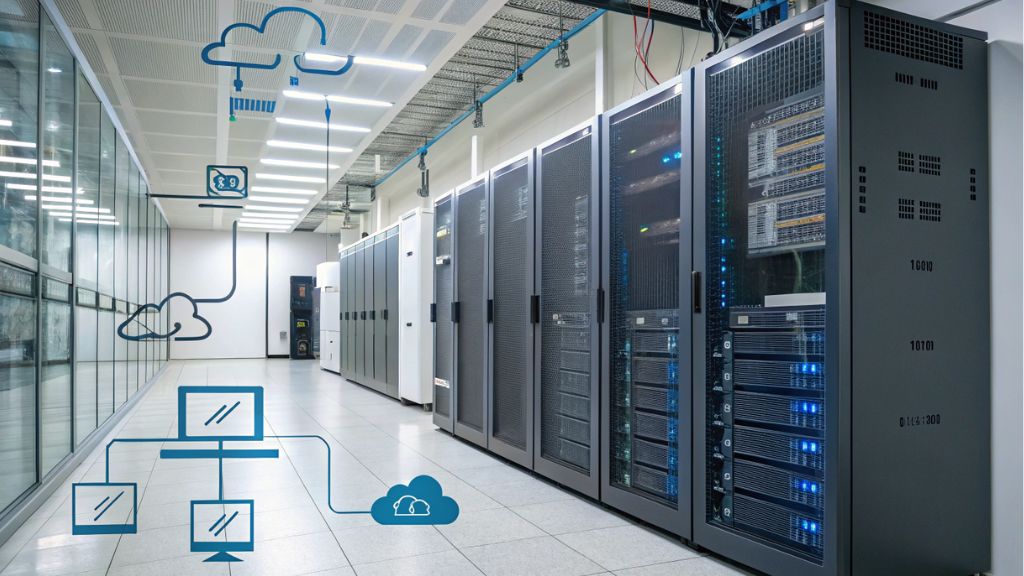
Cloud technologies allow companies to store, process, and transfer data without deploying their own physical infrastructure. All these operations are performed via the Internet, while most technical processes are hidden behind a convenient interface that users can access from anywhere in the world. Cloud technologies can be used on computers, smartphones, tablets, and other devices connected to the Internet.
Several key components make cloud technologies work.
- Data centers
Data centers are the foundation of cloud infrastructure. These are specialized facilities that house servers, storage systems, network equipment, backup power, and other components required for stable service operation. It is in data centers that data is stored and processed before users access it over the Internet.
Data centers have several important advantages:
- Reliability. Infrastructure can be distributed across different geographic locations to ensure data availability even if one center experiences problems.
- Redundancy. In case of failures or accidents, information can be restored from backups or duplicated across other infrastructure nodes.
- High-availability infrastructure. Servers are connected to uninterruptible power supplies, generators, and stable network channels, which helps maintain service operation 24/7.
Data centers provide data storage, request processing, and service availability for users in different countries.
- Virtual servers
Virtualization is a technology that allows virtual servers to be created on top of physical servers. Instead of allocating separate hardware for every task, physical resources can be divided between several virtual environments. Various cloud solutions work on this principle, including VPS servers and VDS solutions.
Main characteristics of virtual servers:
- Flexibility. Virtual servers can be created, configured, and removed much faster than physical hardware. This gives businesses the ability to scale resources according to their needs.
- Lower infrastructure costs. Companies do not necessarily need to buy physical servers or other expensive equipment for data storage and processing.
- Resource isolation. Each virtual server works as a separate environment, which helps maintain stability, access control, and data security.
Virtualization also makes it possible to create specialized servers for specific tasks: running databases, web applications, analytics, or processing large volumes of information.
- User interface
The user interface is the main way to interact with cloud services. Although the processes themselves take place at the server infrastructure level, users work with resources through web panels, mobile applications, or specialized software.
Main functions of the user interface:
- Access to data. Users can upload, store, and process files without having to control the physical location of the data.
- Resource management. Through the interface, users can add or remove virtual servers, configure network resources, manage access, and create backups.
- Reports and analytics. Control panels allow users to monitor resource usage, service performance, load, and potential risks.
Cloud service interfaces usually include additional security mechanisms: two-factor authentication, data encryption, role-based access control, and activity logs.
All work is performed through a stable Internet connection that provides access to resources and data at any time. The core infrastructure, including servers, networks, and storage systems, is located in data centers and allows companies to work with large volumes of data without local limitations.
Thanks to distributed architecture, data and applications can be available to many users in different countries at the same time, while backups and recovery mechanisms help reduce the risk of failures.
Thus, the cloud functions as a unified system where data centers, servers, interfaces, networks, and other components work together to provide fast and secure access to resources over the Internet.
What types of cloud models are there?
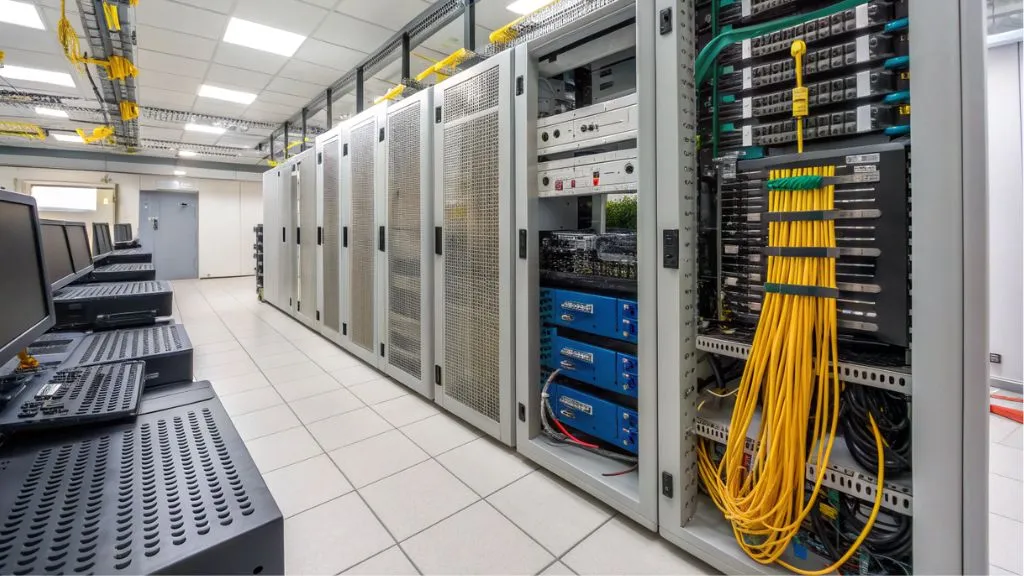
There are different cloud technology models, each with its own advantages, limitations, and use cases. The right model depends on business needs, company size, security requirements, access to resources, and budget. The cloud model affects operational efficiency, scalability, and system stability.
Public cloud
A public cloud is a cloud service model in which infrastructure and resources, including servers, storage, and networks, are provided by an external provider over the Internet. The physical infrastructure does not belong directly to users but is managed by the provider, who is responsible for maintenance, updates, redundancy, and security.
Because public cloud resources are shared with other users, companies can reduce infrastructure costs. For small and medium-sized businesses without large budgets for their own servers, the public cloud can be a convenient solution because payment usually depends on actual resource usage.
The public cloud provides scalability: a business can increase or reduce the amount of resources depending on its needs. When demand grows, the company can quickly add capacity without buying physical equipment. When the load decreases, unnecessary resources can be disabled, which helps control costs.
The public cloud also provides access to analytics tools, artificial intelligence, machine learning, developer platforms, and other technologies that are difficult or expensive to deploy locally. This allows companies to implement new services faster without upgrading their own servers.
Public clouds usually offer a high level of reliability thanks to multiple data centers, distributed architecture, and backup mechanisms. This helps maintain service operation even in the event of local failures.
Examples of public cloud use:
- Online stores use public clouds to store data, process orders, and work with customer databases.
- Startups use public clouds to test ideas, launch products, and scale quickly without large infrastructure costs.
- Mobile applications can use the cloud to store user data, process requests, and integrate with other platforms.
So, the public cloud is an accessible and scalable solution for businesses that want to focus on developing products or services rather than managing physical server infrastructure.
Private cloud
A private cloud is a cloud environment designed for one organization. In this model, infrastructure and resources are used only by one company and are not shared among many clients. Unlike the public cloud, a private cloud provides more control over data, security, access, and configuration.
A private cloud allows a company to manage resources according to its own requirements. The organization can define server configurations, access policies, data storage rules, and protection requirements. Such solutions are often chosen by large corporations, banks, government institutions, and companies with strict security and control requirements.
A private cloud provides resource isolation and predictable performance. This is important for tasks involving large-scale data processing, critical corporate systems, or specific regulatory requirements.
A private cloud also makes it possible to localize data in specific geographic regions, which may be important for compliance with legal requirements, industry standards, or internal company policies. For organizations that need dedicated infrastructure, VMware private cloud may be an appropriate solution.
Examples of private cloud use:
- Banks and financial institutions use private clouds to protect sensitive financial information and process transactions.
- Government institutions can use private clouds to store data that requires a higher level of control.
- Large corporations use private clouds to integrate internal systems, process large volumes of information, and control access.
Disadvantages of a private cloud:
- High cost. A private cloud requires significant expenses for creating, supporting, and administering infrastructure.
- Scaling complexity. Expanding private infrastructure may require additional investments in hardware, licenses, and technical resources.
- Need for technical maintenance. Managing a private cloud requires qualified IT specialists, regular updates, backups, and security control.
A private cloud is suitable for organizations that need a high level of security, control over data, and flexible infrastructure configuration, but it also involves higher costs and technical requirements.
Hybrid cloud
A hybrid cloud is a model that combines elements of public and private cloud infrastructure. This approach allows organizations to balance security, scalability, control, and infrastructure cost.
In a hybrid cloud, a company can store critical data, such as financial information, customer personal data, or strategic documents, in a private cloud. At the same time, less sensitive services or peak loads can be moved to the public cloud to reduce costs and gain additional scalability.
A hybrid cloud allows companies to adapt to changes in workload. For example, during periods of high demand, a company can use additional public cloud resources without overloading its private infrastructure. After the load decreases, unnecessary resources can be disabled.
To integrate different environments, companies can use Cloud Connect for hybrid cloud environments. Such tools help combine local infrastructure, private cloud, and public services into a single manageable system.
Examples of hybrid cloud use:
- Financial institutions can store sensitive data in a private cloud while using the public cloud for analytics or temporary workloads.
- Large corporations often combine local systems with new cloud applications while keeping critical data in a controlled environment.
- E-commerce can store transaction and payment data in private infrastructure while keeping less sensitive information in the public cloud.
Disadvantages of a hybrid cloud:
- Management complexity. Managing a hybrid cloud requires integrating different types of infrastructure, which demands experience and technical resources.
- Security issues. Moving data between environments requires clear access policies, encryption, and monitoring.
- Integration costs. Combining private and public cloud environments may require additional tools, configuration, and technical support.
A hybrid cloud is suitable for companies that want to combine the advantages of private and public infrastructure while maintaining control over critical data and gaining flexibility for scaling.
Multi-cloud
Multi-cloud is a strategy in which a company uses several cloud providers at the same time. This makes it possible to combine different services from different providers for specific tasks: data storage, analytics, backup, development, or processing large workloads.
One of the main reasons to use multi-cloud is reducing dependence on a single provider. If one provider experiences technical problems, the company can move part of the workload to another environment. Multi-cloud also allows businesses to choose the most suitable services for specific tasks and better control costs.
For businesses comparing different cloud environments, the article on leading solutions for private and hybrid clouds may be useful. It helps explain how different platforms differ in capabilities, management, and use cases.
Multi-cloud allows data and applications to be distributed across several environments, which improves system availability and reliability. If one cloud becomes unavailable, other environments can continue processing part of the workload.
Examples of multi-cloud use:
- Large corporations and online stores can use one cloud for data storage, another for transaction processing, and another for analytics or machine learning.
- Financial organizations can store the most sensitive data in an environment with higher security requirements and less critical data in another cloud.
- Telecommunications companies can use multi-cloud to process large volumes of data and reduce latency across different regions.
Disadvantages of multi-cloud:
- Management complexity. Several cloud platforms complicate monitoring, administration, and cost control.
- Security issues. Access policies, encryption, and data protection must be coordinated across different providers.
- Integration and maintenance costs. Multi-cloud may require additional tools, specialists, and configuration time.
Multi-cloud is a powerful tool for companies that need flexibility, scalability, and reliability in managing cloud resources. However, effective use of this model requires clear architecture, qualified specialists, and strong security control.
Community cloud
A community cloud is a model in which cloud infrastructure and resources are used by several organizations with shared interests, needs, or regulatory requirements. These may include companies from the same industry, medical institutions, universities, or government organizations.
A community cloud allows organizations to share the costs of infrastructure, maintenance, and updates among several participants. This helps reduce costs for each organization while preserving control, security standards, and access requirements.
Organizations using a community cloud can combine resources, data, and infrastructure while standardizing processes for better cooperation. At the same time, this model requires clear rules for management, access, and responsibility among all participants.
Examples of community cloud use:
- Medical institutions can create community clouds to store electronic medical records and exchange data while complying with confidentiality requirements.
- Universities can use community clouds to store academic data, research materials, and support distance learning.
- Government agencies can combine resources for storing and processing documents within a shared platform.
Disadvantages of a community cloud:
- Limited flexibility. Since a community cloud serves several organizations, individual customization options may be limited.
- Potential confidentiality issues. Participation of several organizations requires clear rules for access, data separation, and security control.
A community cloud is suitable for organizations with similar needs and requirements. It helps reduce costs and combine resources but requires proper management and transparent rules for using the infrastructure.
Types of cloud services: IaaS, PaaS, SaaS
Cloud technologies offer several main service models that differ in the level of resources and control provided. To better understand the classification, it is useful to read more about the types of cloud services, and below is a brief overview of the three basic models.
- IaaS (Infrastructure as a Service). IaaS provides basic infrastructure: servers, data storage, and networks without the need to buy physical resources. Companies rent these resources and can scale their business without large capital investments.
- PaaS (Platform as a Service). PaaS offers a platform for application development, including programming tools, databases, and a server environment. This allows developers to create, test, and launch applications without configuring the entire infrastructure from scratch.
- SaaS (Software as a Service). SaaS provides ready-made software solutions over the Internet. Applications are available in a browser or app, and companies usually pay by subscription without installing and maintaining software locally.
IaaS, PaaS, and SaaS provide different levels of cloud services: from basic infrastructure to ready-made applications. The choice depends on business needs, the team’s technical expertise, and the desired level of control.
What are the benefits of cloud technologies for business?
One of the key questions for businesses is understanding the main benefits of using cloud technologies. The cloud can improve efficiency, reduce costs, provide flexibility, and give access to tools that were previously available mainly to large companies. Thanks to cloud solutions, enterprises can focus on developing products and services instead of maintaining servers, equipment, and complex infrastructure.
Cost reduction
Cloud technologies allow businesses to pay only for the resources they actually use, which reduces infrastructure costs. Companies no longer need significant investments in physical servers, hardware, or software because they can rent exactly the amount of resources they need at a particular moment.
Scalability and speed
One of the main advantages of cloud technologies is scalability. A business can quickly change the amount of computing resources, storage, or network capacity depending on current needs. This is especially important for seasonal businesses or companies with variable demand.
Remote access
Cloud technologies provide remote access to data and applications, allowing employees to work from different locations. This is important for international teams, companies with flexible schedules, and businesses that want to involve specialists without tying them to an office.
Reliability, security, and backups
Cloud providers ensure reliability and security through multi-level data protection systems, backups, and recovery mechanisms. For companies that want to strengthen data protection, it is worth considering BaaS as a backup service or broader backup solutions.
Data can be stored on stable servers distributed across different locations, which reduces the risk of information loss or long business interruptions. In addition, cloud platforms often provide encryption tools, access control, and activity logging.
Innovation – AI, Big Data, automation
Cloud technologies provide access to innovative tools: artificial intelligence, Big Data, process automation, and advanced analytics. Businesses can process data faster, build forecasts, automate routine operations, and make better-informed decisions.
Disadvantages of using cloud technologies

Cloud technologies have many advantages, but their use also involves certain risks. Before moving to the cloud, a company should assess not only potential savings but also security, integration, compliance, and infrastructure control requirements.
- Dependence on Internet connection. Without a stable Internet connection, a company may lose access to data or applications hosted in the cloud.
- Security and data protection. Cloud providers offer different levels of protection, but companies still need to assess access policies, encryption, redundancy, and compliance with security requirements. For a comprehensive approach to protection, it is useful to consider a comprehensive information security system.
- Scaling costs under high loads. Initial costs may be low, but with intensive resource usage, total expenses can grow quickly.
- Limited control over infrastructure. Part of the responsibility shifts to the service provider, so the company has fewer opportunities for deep server and network configuration.
- Migration and integration complexity. Moving to cloud technologies can be difficult for companies with outdated local systems or many integrations.
- Legal and regulatory issues. In some industries, it is important to consider where data is stored and which rules apply to its processing.
- Dependence on the service provider. If a company relies on only one provider, tariff changes, failures, or service limitations may affect the business.
Cloud technologies open up significant opportunities for businesses, but they require careful planning. Every company should consider its industry, the criticality of its data, expected workload, and control requirements.
Who are cloud solutions suitable for?
Cloud technologies are a universal tool that can be useful for companies of different sizes and industries. They are suitable for small, medium, and large businesses, but the greatest benefits go to companies that need fast scaling, flexibility, remote access, and innovative technologies.
IT companies use the cloud to develop software, test products, launch web services and mobile applications without a long local infrastructure deployment process. Thanks to scalability, such companies can quickly adapt resources to project needs.
Startups use cloud technologies to minimize initial infrastructure costs. Instead of buying servers, a team can launch a product on rented resources and scale gradually as the audience grows.
Online stores and e-commerce projects use the cloud to process orders, store customer data, integrate with payment services, and maintain high website availability. To speed up online projects, companies can also use a CDN for websites, which helps reduce load and deliver content to users faster.
Large companies use cloud technologies to centrally manage resources, combine data from different branches, and provide employees with access to corporate systems from different countries.
Small and medium-sized businesses can also benefit from cloud technologies due to their accessibility and ease of use. The cloud allows them to store data, use services for accounting, project management, communication, and marketing without major investments in their own servers.
Companies that operate in several countries or have multiple offices can use cloud solutions for centralized resource management, data exchange, and real-time collaboration.
The future of cloud: new trends

Cloud technologies continue to evolve, and every year new approaches appear in data processing, service integration, automation, and reducing the environmental impact of infrastructure. Some trends are already actively influencing business and changing how IT systems are designed.
Serverless computing
Serverless computing is a cloud service model in which developers can run code without managing servers or infrastructure. Computing resources scale automatically depending on the load, and the company pays for the actual execution of code.
Advantages of the serverless model:
- Cost reduction. The company pays only for actual resource usage.
- Faster launch. Developers can launch functions faster without manually configuring servers.
- Automatic scaling. The system adapts to workload changes automatically.
Edge computing
Edge computing is an approach in which data is processed closer to where it is generated: on user devices, local nodes, or edge infrastructure. This reduces latency, increases access speed, and lowers the load on central servers.
Main advantages of edge computing:
- Reduced latency. Data is processed closer to the user, so the system response becomes faster.
- Lower network load. Part of the processing takes place locally, so not all data needs to be transferred to central data centers.
- Improved performance. This is important for IoT, video surveillance, industrial systems, and real-time services.
Artificial intelligence and the cloud
The integration of artificial intelligence with cloud technologies allows companies to use machine learning, analytics, natural language processing, and other intelligent services without investing in complex local computing systems.
Benefits of AI in the cloud:
- Fast implementation of AI solutions. The cloud provides computing resources for training and running models.
- Scalable AI applications. Processing large volumes of data can be scaled depending on business needs.
- Integration with other services. AI tools can be combined with analytics, automation, CRM, ERP, and other business systems.
Green cloud and energy efficiency
Growing attention to sustainable development also affects cloud infrastructure. Cloud providers are increasingly investing in energy-efficient data centers, power consumption optimization, and the use of renewable energy sources.
Main directions of green cloud development:
- Energy efficiency. Providers optimize equipment operation, cooling, and workload distribution.
- Use of renewable energy. Some data centers are switching to solar, wind, or other clean energy sources.
- Corporate responsibility. Businesses can consider the environmental impact of cloud infrastructure as part of their ESG strategy.
The future of cloud technologies is connected with serverless computing, edge computing, artificial intelligence, automation, and energy efficiency. These trends are changing the ways data is stored, processed, and protected, while helping businesses work faster, more flexibly, and more responsibly.
Conclusion
Cloud technologies are not only an innovative tool but also an important part of modern business infrastructure. They help reduce costs, scale resources, support remote work, implement new services, and improve the resilience of IT systems.
At the same time, moving to the cloud requires a thoughtful approach. Companies need to consider security, control, integration, backup, and future scaling requirements. That is why before choosing a cloud model, it is important to assess business goals, data criticality, expected workload, and the technical resources of the team.
Cloud solutions are suitable for startups, online stores, IT companies, large corporations, and small businesses. The key is to choose a model that matches real tasks instead of simply following the general trend toward cloud infrastructure.