
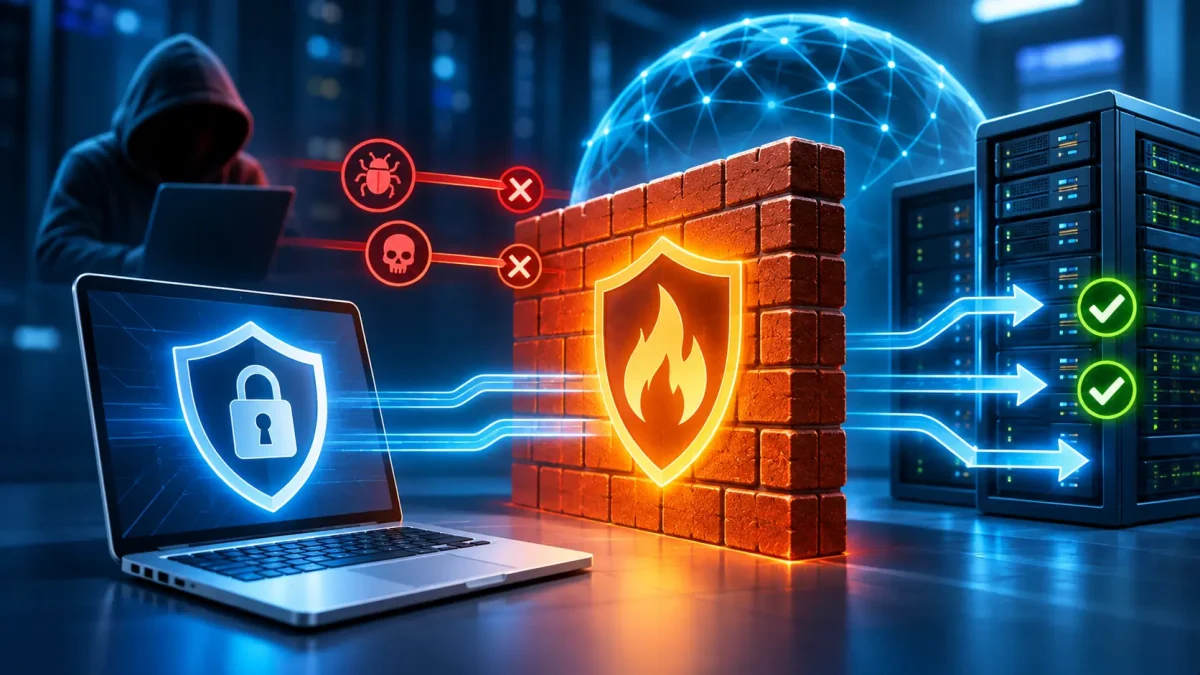
Every device connected to a network exchanges data with other systems. Computers access websites, servers process user requests, and business applications transfer information between departments and remote employees. At the same time, open network connections can be used for unauthorized access, searching for vulnerable services, and attacks on information infrastructure.
One of the basic ways to control this exchange is a firewall. It checks network traffic and determines which connections are allowed and which should be blocked. A properly configured firewall helps restrict access to internal resources, reduce the number of services exposed to attacks, and control communication between devices.
Let’s look at how a firewall works, what types exist, how it differs from antivirus software and a VPN, and how to configure protection for a computer, VPS, or dedicated server.
What Is a Firewall?
A firewall is a software or hardware network security system that controls incoming and outgoing traffic according to predefined rules. Its main purpose is to allow necessary network connections and restrict those that do not comply with the security policy.
The term “firewall” comes from the idea of a fire-resistant barrier. In networking, the term is used by analogy: a firewall creates a controlled boundary between networks or devices with different security requirements. To understand what a firewall is, imagine a checkpoint between a device and a network that checks connections and allows only traffic that complies with the established security rules.
This definition is consistent with the approach of the U.S. National Institute of Standards and Technology (NIST), which describes a firewall as a device or program that controls traffic flows between networks or hosts with different security policies.
It is important to understand that a firewall does not necessarily determine whether a particular program is malicious. Its primary function is to check network communication against specified conditions. More advanced solutions may also analyze applications, protocols, and specific indicators of attacks, but their capabilities depend on the technology used.
What Is a Firewall Used For?

Understanding what a firewall is and what it does helps you organize network protection correctly. Its main purpose is to control network connections, block unwanted traffic, and restrict access to resources that should not be publicly available. Without proper filtering, network services may remain accessible to users for whom they are not intended.
For example, a web server should accept HTTPS requests from website visitors, but its administrative services do not necessarily need to be accessible from the entire internet. A firewall lets you set different rules for these types of connections.
The main functions of a firewall include:
- Access control. Determines which devices, IP addresses, and services can exchange data.
- Traffic filtering. Allows or blocks packets based on ports, protocols, addresses, and other parameters.
- Protection of internal resources. Helps isolate servers, databases, and work devices from unwanted external connections.
- Network segmentation. Restricts communication between separate network segments, such as a guest network and a company’s internal infrastructure.
- Connection monitoring. When configured to do so, records allowed or blocked connections for further analysis.
In a home network, a firewall usually runs on the router and on individual devices. It helps restrict unwanted incoming connections, including when a computer connects to a public network.
In an office, a network firewall can control employees’ access to internal systems and separate company resources from guest Wi-Fi.
On a server, a firewall is used to restrict access to SSH, databases, administration panels, and other services. Proper filtering is especially important for publicly accessible server infrastructure, since its IP addresses may receive automated requests from the internet on a regular basis.
How Does a Firewall Work?
To understand how a firewall works, it helps to look at how data is transmitted over a computer network. Information arrives in packets that contain data and the service information needed to deliver it.
Depending on its implementation, a firewall may check the sender’s IP address, destination address, protocol, port, direction of transmission, and connection state. The system then compares these parameters with the configured rules.
Imagine a server running a website. Port 443 is open to visitors for HTTPS traffic. At the same time, SSH access is allowed only from an administrative IP address.
When a user opens the website, the firewall checks the connection parameters and allows it under the corresponding rule. The system can block an attempt to connect to SSH from an unknown IP address before the user reaches the authentication stage.
Several technologies are used to analyze traffic.
Packet filtering. The firewall analyzes packet headers and applies rules based on IP addresses, ports, and protocols. This approach does not necessarily take the context of previous packets into account.
Stateful inspection. The firewall tracks active connections and checks whether a packet belongs to an already established session. This makes it possible to control network communication more precisely.
Application-layer inspection. Advanced solutions can analyze specific protocols and identify the type of traffic at the application level. The depth of this analysis depends on the device’s capabilities, its configuration, and the use of encryption.
These approaches can be combined in a single product. For example, modern NGFW (Next-Generation Firewall) solutions add application control and intrusion prevention features to traditional filtering.
The result depends not only on the firewall’s capabilities but also on its configuration. Overly broad permissions can make even a feature-rich firewall ineffective.
What Types of Firewalls Are There, and How Do They Differ?
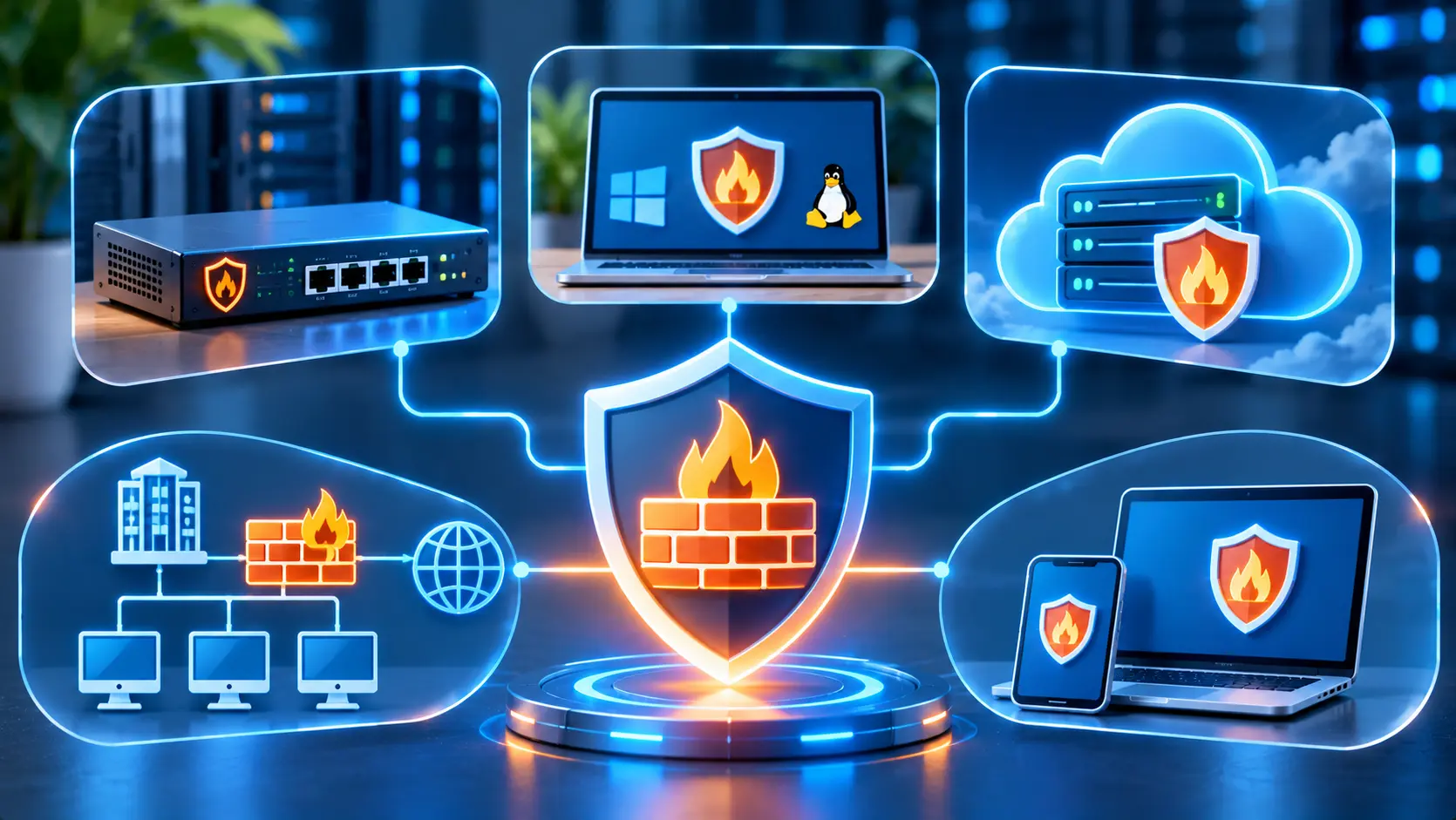
There is no single numerical answer to the question “How many types of firewalls are there?” because technologies are classified according to different criteria. By implementation, they can be hardware, software, or cloud-based solutions; by where they are used, they can be network or personal firewalls; and by how they analyze traffic, they can use packet filtering, stateful inspection, or other methods. A firewall is not necessarily a separate physical device: traffic filtering can be performed by specialized network equipment or by software running on a computer or server.
These categories can overlap. For example, a managed firewall in a data center may run on physical network devices, while its rules are managed remotely.
Hardware Firewall
A hardware firewall is a specialized device or network appliance with traffic-filtering capabilities. It is usually installed at the edge of a corporate network, between infrastructure segments, or in front of a group of servers.
This type of firewall can process traffic for many devices, apply centralized access policies, keep event logs, and support additional security tools.
For example, in a company with several departments, a hardware firewall can separate office networks, restrict access to financial systems, and control connections from the internet.
Specialized solutions include Fortinet FortiGate devices and other corporate network security platforms. Their functionality depends on the model, licenses, and configuration.
The main limitations of hardware solutions are the cost of equipment and maintenance, as well as the need for competent administration. A separate enterprise-grade device is often excessive for a small home network.
Software Firewall
A software firewall runs directly on a computer, server, or virtual machine. It controls the network connections of a particular operating system and can apply rules to ports, addresses, services, or applications.
Windows includes Windows Firewall, which lets you control incoming and outgoing traffic. In Linux, network filtering is provided by the Netfilter subsystem, and it can be managed with UFW, firewalld, nftables, and other tools.
One advantage of a software firewall is that you can configure rules for a specific device without buying separate hardware.
However, its protection is limited to the system on which it runs. If the operating system is fully compromised and an attacker obtains sufficient privileges, they may be able to change the firewall rules. For this reason, server-level protection can be supplemented with network filtering.
Cloud Firewall
A cloud firewall is a filtering system whose functions are implemented in a cloud environment or at the provider’s infrastructure level. It can control traffic to virtual machines, private networks, business applications, or internet resources.
Depending on the architecture, this may include virtual network gateways, cloud access-control rule groups, or managed security services.
The main advantage of this approach is the ability to manage network policies without installing your own physical firewall. For companies with distributed infrastructure, centralized administration and the ability to change the configuration as systems develop are also important.
Hostpark offers the managed Atman Firewall service, built on clustered Fortinet FortiGate devices in Atman’s infrastructure. The service description includes traffic filtering, application control, IPS/IDS, and access to logs and reports. Atman specialists support the implementation and maintenance of the service. Specific features and terms of use should be agreed upon for the selected configuration.
Network Firewall vs. Personal Firewall: What Is the Difference?
A network firewall controls data transfer between networks or their segments. A personal firewall runs on an individual device and protects its network connections.
These tools do not compete with each other because they protect infrastructure at different levels.
| Criterion | Network Firewall | Personal Firewall |
|---|---|---|
| Location | At a network gateway or between segments | On a computer or server |
| What it controls | Traffic between networks | Connections to and from an individual device |
| Management | Often centralized | Local or centralized |
| Typical use | Office, data center, corporate network | Laptop, workstation, VPS |
| Main limitation | May not see local traffic within a segment | Does not control the entire network |
In corporate infrastructure, it makes sense to combine both approaches. A network firewall sets general access boundaries, while software firewalls on workstations and servers add restrictions directly on the devices.
This combination is especially useful when some employees work remotely and servers are hosted in different network environments.
What Threats Does a Firewall Protect Against?
A firewall helps reduce risks associated with unwanted network connections. Its effectiveness depends on the rules in place, where the filtering system is located, and which features it supports.
The most common use case is restricting access to services that should not be open to all internet users. For example, a database may be accessible only to the application server, while an administration interface may be available only through a secure corporate connection.
A firewall can also prevent attempts to connect to closed ports, restrict unwanted outbound traffic, and control communication between network segments.
During port scanning, a firewall may block requests or fail to respond, depending on the policy. However, this does not mean that the IP address or all open services become invisible. Available network interfaces can still be examined.
Some solutions support protection against specific network attacks, for example through IPS, connection-rate limits, or signature-based filtering. However, a standard packet-filtering firewall does not guarantee protection from DDoS attacks, malicious files, phishing, or the exploitation of web application vulnerabilities.
During a large-scale DDoS attack, a network link may become overloaded before unwanted traffic reaches a local firewall. Specialized filtering services at the provider’s network level are used for such situations, for example AntiDDoS protection.
How Is a Firewall Different from Antivirus Software and a VPN?
Firewalls, antivirus software, and VPNs are often used together, but they solve different problems. A firewall controls network connections, antivirus software detects potentially malicious software, and a VPN creates a secure tunnel for data transfer between specified endpoints.
Here is a comparison of their main functions.
| Criterion | Firewall | Antivirus | VPN |
|---|---|---|---|
| Purpose | Control of network traffic | Detection of malware | Secure network connection |
| Main mechanism | Filtering rules | Analysis of files, processes, and behavior | Tunneling and encryption |
| Typical use | Restricting access to services | Protection against malicious software | Remote network access |
| Does it replace a firewall? | – | No | No |
None of these tools provides complete protection on its own. For example, a VPN can protect data while it is being transmitted over an untrusted network, but it does not automatically determine whether a user is authorized to access a particular server service.
Firewall vs. Antivirus: Differences in Function
Antivirus software is designed to detect and counter malicious programs. Modern antivirus solutions may use signature analysis, behavioral detection, process scanning, and additional protection mechanisms.
A firewall works differently. It checks network connections and determines whether they comply with the established rules.
Imagine an attacker trying to connect to a server through an exposed administrative service. A firewall can block the connection based on the IP address or port before any interaction with that service begins.
Another scenario: a user downloads an infected file from an allowed website. A standard firewall may not detect the threat inside the file, while antivirus software may be able to identify it.
Advanced security suites sometimes combine antivirus and network features. However, having such a product does not remove the need to review access settings.
Firewall vs. VPN: Which Provides Better Network Protection?
It is not accurate to compare a firewall and a VPN by asking “Which is better?” because they perform different functions.
A VPN (Virtual Private Network) lets you create a secure logical connection over another network, including the internet. It is often used to give employees remote access to corporate infrastructure or to connect offices.
A firewall determines which traffic is allowed between networks and devices. Even after a VPN connection is established, a user does not necessarily need access to all internal resources.
For example, an accountant can connect to the corporate network through a VPN, while the firewall allows access only to the accounting system. Server administration interfaces and other internal resources remain unavailable.
In short, a VPN protects the data transmission channel, while a firewall controls the permitted network interactions. Together, they make it possible to provide secure remote access while limiting user permissions.
Do You Need a Firewall If You Already Have Antivirus Software and a VPN?
Yes. A firewall remains an essential part of network security even when antivirus software and a VPN are in use. These tools complement each other but do not perform the same tasks.
For example, a company can use a VPN to connect remote employees, antivirus software to protect their work devices, and a firewall to restrict access to corporate servers. In this setup, each tool has a separate role: protecting the connection, controlling potentially malicious software, or determining which network connections are allowed.
Using a firewall is especially important on servers that run web applications, system services, administration tools, and other components at the same time. Even when all connections between administrators and the server are protected by a VPN, you still need to determine which ports and resources are accessible through that tunnel.
A comprehensive approach combines network filtering, secure authentication, regular software updates, monitoring, and endpoint protection.
The Canadian Centre for Cyber Security also recommends using a firewall as part of a multilayered protection system, rather than relying on it alone.
How to Configure a Firewall on a Computer or Server
Configuring a firewall starts with determining which network connections a device or server needs to operate. The basic principle is to allow only connections that serve the system’s actual needs.
For a home computer, the operating system’s built-in firewall is often sufficient when configured correctly. A server needs a separate policy that accounts for its available services, administration interfaces, and application requirements.
Before changing firewall rules on a remote server, check that you have an alternative way to access it, such as the provider’s console. A mistake in the rules can block SSH or RDP and leave the administrator unable to connect.
Review the configuration after changing server services, installing new software, or moving applications to another network environment.
How to Enable Windows Firewall
In Windows 10 and Windows 11, the built-in Windows Firewall supports separate profiles for domain, private, and public networks. This lets you apply different rules depending on the connection environment.
To check or enable the firewall, follow these steps:
- Open the Start menu and search for the Windows Security app.
- Go to “Firewall & network protection.”
- Check which network profile is marked as active.
- Open the active profile’s settings and make sure Microsoft Defender Firewall is enabled.
- If necessary, return to the previous section and select “Allow an app through firewall.” Check the permissions for the required applications and network profiles.
After changing the settings, check that applications requiring network access still work. Do not allow all connections just to fix a problem with one application.
For detailed rule management, you can use the wf.msc console to configure incoming and outgoing connections by port, protocol, and application.
Official documentation: Microsoft Learn — Windows Firewall tools.
How to Configure a Firewall in Linux
In Linux, a firewall usually works through the Netfilter subsystem. Different tools are used to manage its rules, depending on the distribution and system configuration.
UFW (Uncomplicated Firewall) is a common tool in Ubuntu. It simplifies the creation of access rules and is suitable for typical server configurations.
First, check the status of UFW and its current rules. Before enabling a firewall on a remote server, make sure you have backup access through the provider’s console:
sudo ufw status verboseFor a standard web server using SSH on port 22, HTTP on port 80, and HTTPS on port 443, a basic configuration that blocks unexpected incoming connections could look like this:
sudo ufw default deny incoming
sudo ufw default allow outgoing
sudo ufw allow 22/tcp
sudo ufw allow 80/tcp
sudo ufw allow 443/tcp
sudo ufw enable
sudo ufw status numbered
This example assumes that SSH is actually running on port 22 and outbound connections are allowed. Before running the commands, check the current rules, SSH port, IPv6 settings, and the requirements of other services. The SSH permission for connections from any address is shown for demonstration purposes only; in a production configuration, it is advisable to restrict it to trusted IP addresses. After activation, check access from a new session without closing the current administrative connection.
On systems that use firewalld, configuration is managed with firewall-cmd. This tool supports zones, which let you define different policies for network interfaces and traffic sources.
You can check the status and active rules with these commands:
sudo firewall-cmd --state
sudo firewall-cmd --get-active-zones
sudo firewall-cmd --list-all
For example, to allow HTTPS in the relevant active zone, use:
sudo firewall-cmd --zone=public --permanent --add-service=https
sudo firewall-cmd --reload
The public zone is shown here as an example. Use the zone that the server’s network interface actually belongs to. The --permanent parameter saves the rule, and the --reload command applies the permanent configuration.
The commands are consistent with the documentation for Ubuntu Server and firewalld.
How to Create Traffic Filtering Rules
A firewall rule describes the conditions under which a connection is allowed, blocked, or handled in another way. It typically takes into account the source IP address, destination address, port, transport protocol, and direction of traffic.
In server infrastructure, it is important to distinguish between publicly accessible services and administrative interfaces. For example, HTTPS may be open to all users, while SSH should be accessible only to administrators.
In UFW, a rule to allow HTTPS looks like this, provided that broader rules do not change the expected behavior:
sudo ufw allow 443/tcpTo allow SSH only from a specific IP address, you can use:
sudo ufw allow from 203.0.113.10 to any port 22 proto tcpThe address 203.0.113.10 is a documentation example. Replace it with the administrator’s actual trusted IP address.
A new restrictive rule does not cancel a previous general SSH permission. Before applying a policy, review existing rules and remove unnecessary permissions, making sure administrative access is available first. You can check the rules with sudo ufw status numbered.
To block incoming connections to a specific service, you can use:
sudo ufw deny 3306/tcpPort 3306 is commonly used by MySQL. Before creating this rule, check whether other application servers need access to the database.
In complex networks, you also need to account for the order in which rules are processed, connection state, IPv4 and IPv6, network interfaces, and potential conflicts between policies. After each change, check both allowed and blocked connection scenarios.
Which Ports Should Be Open on a Server?
The set of open ports depends on the server’s purpose. For a standard web server, HTTP and HTTPS are often sufficient, while administrative access is configured separately.
The most common ports and their purposes are:
| Port | Protocol | Typical use |
|---|---|---|
| 22 | TCP | SSH |
| 80 | TCP | HTTP |
| 443 | TCP, sometimes UDP | HTTPS, including HTTP/3 over QUIC |
| 3389 | TCP/UDP | RDP |
| 3306 | TCP | MySQL |
| 5432 | TCP | PostgreSQL |
| 53 | UDP/TCP | DNS |
These values are standard or commonly used, but specific services may use different ports.
It is important not to confuse an open port with a need to make it publicly accessible. For example, a database may run on port 5432 but accept connections only from the internal network.
For administrative services, it is advisable to restrict access by IP address, use VPN access, apply strong authentication methods, and configure additional security rules.
Do not open all server ports just for convenience. This increases the number of network services that may be accessible to external users.
How Does a Firewall Protect a Server and Website?
On a server, a firewall controls access to system and application services. It lets you separate publicly accessible web traffic from administrative connections, database communication, and internal infrastructure components.
For a VPS, a software firewall is usually one of the main access-control mechanisms at the operating system level. In a virtual environment, it may be supplemented by the provider’s network rules if those capabilities are supported.
A dedicated server can use a local firewall, an external hardware firewall, or a managed network firewall.
However, a standard firewall should not be confused with a WAF (Web Application Firewall). The difference lies in the level at which they analyze traffic.
A network firewall may allow HTTPS connections on port 443 without analyzing the logic of HTTP requests inside encrypted traffic. A WAF works at the web application level and, when configured appropriately, can detect certain suspicious HTTP requests, for example those associated with SQL injection or XSS.
At the same time, a WAF does not fix vulnerabilities in the application itself. It is an additional security mechanism that requires appropriate rules and regular configuration. This approach is described in OWASP’s documentation on Web Application Firewalls.
For servers running critical applications, it is advisable to consider using a network firewall, WAF, access controls, software updates, and security monitoring together.
How to Choose a Firewall for a Home Network, Business, or Server
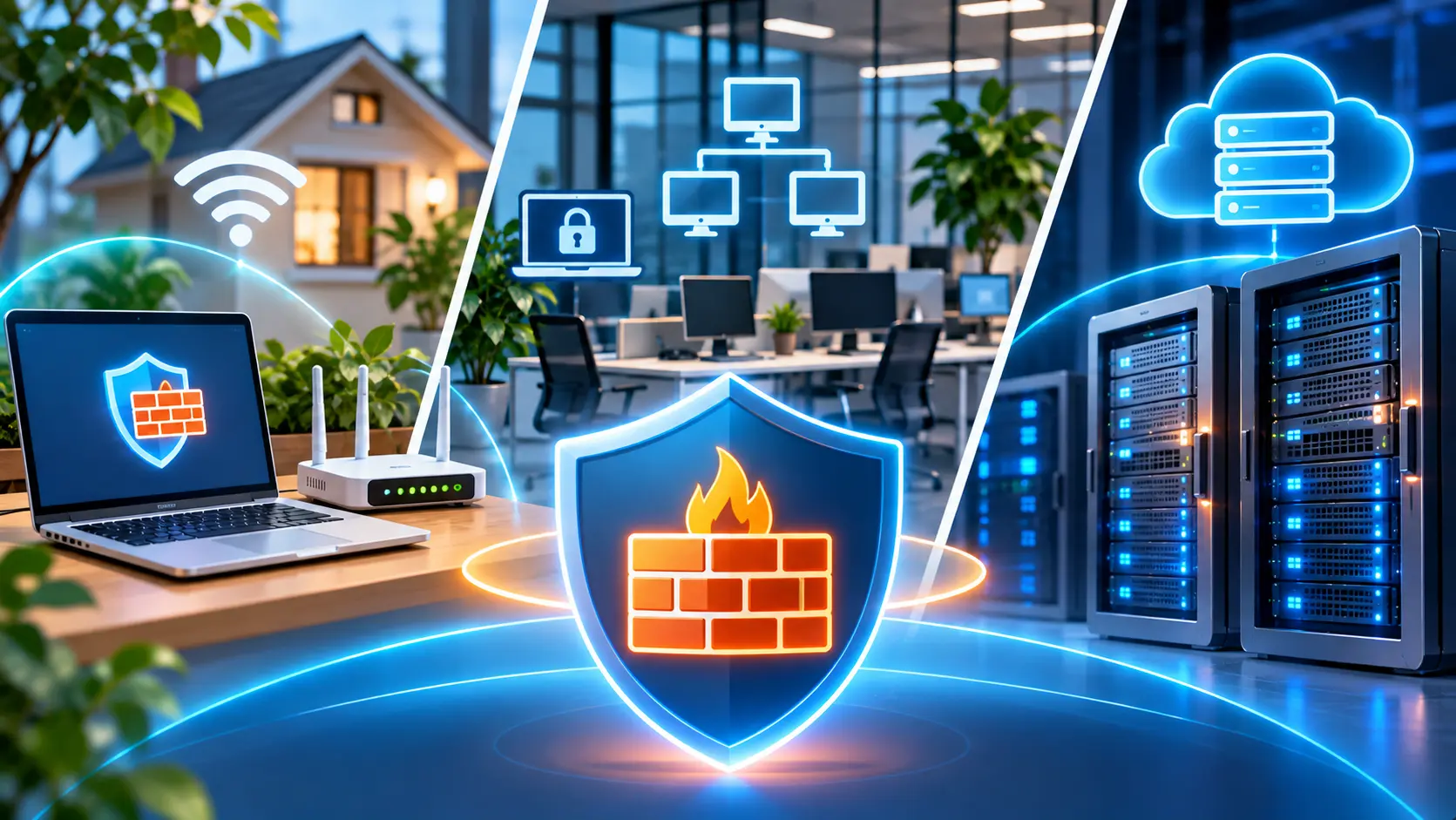
Choosing a firewall depends on the network architecture, number of devices, type of traffic, and administration requirements. A solution that is sufficient for a home computer may not provide the level of control required for corporate infrastructure.
For a home network, it is usually appropriate to use the built-in firewalls of operating systems together with the router’s network features. Keep the router’s firmware up to date, check port-forwarding rules, and do not expose administrative access to the internet unless necessary.
For a business, important features include centralized management, network segmentation, VPN support, logging, and the ability to integrate with other security systems.
Performance should also match the actual workload. When evaluating a corporate firewall, consider not only its nominal throughput but also its performance with traffic-inspection features enabled, the number of simultaneous connections, and latency requirements.
Ease of maintenance is another consideration. A complex tool without proper administration can create additional risks through rule errors and outdated configurations.
Which Firewall Is Suitable for a Small Business?
A small business needs a solution that matches the number of work devices, network structure, and ways of accessing corporate resources.
A small office may be able to use a router with appropriate firewall features and software firewalls on workstations. If it has separate servers, a guest network, or remote employees, centralized policy management may be worth considering.
Companies that use cloud services and do not have their own server room may be suited to virtual or managed cloud firewalls. These allow network access to be controlled without maintaining physical equipment themselves.
A corporate hardware firewall may be appropriate when a company has several network segments, higher traffic-control requirements, or a need for additional security features.
When choosing a solution, consider not only the current infrastructure but also future changes: more users, new servers, branch offices, and the growth of remote work.
Which Firewall Do You Need for a VPS or Dedicated Server?
For VPS and dedicated servers, firewall configuration primarily depends on the operating system, the services running, and where users need to connect from.
On a Linux server, UFW or firewalld can be used for typical tasks. They allow you to create basic rules for web traffic, restrict SSH access, and block unnecessary connections.
Windows Server uses Windows Firewall, which supports rules for services, applications, ports, and network profiles.
For more complex infrastructure, consider additional network protection outside the operating system. This allows rules to be applied before traffic reaches the server and access to multiple systems to be managed centrally.
When choosing a VDS virtual server or a physical server, define the network architecture and security requirements in advance. Important considerations include administrative access, the ability to change rules, access to an emergency console, and support for additional network services.
For projects that need separate physical equipment, it is also worth evaluating the available dedicated servers and network security options.
In any case, take into account how responsibilities are divided between the client and the provider. The presence of network protection on the hosting provider’s side does not mean that the operating system and all server services are automatically configured securely.
Common Firewall Mistakes
Even a well-chosen firewall may not provide the expected protection if it is configured incorrectly. Problems most often arise when rules are created without taking real network requirements into account or are not reviewed after infrastructure changes.
Disabling the firewall completely. Administrators sometimes disable a firewall to quickly restore an application or server. However, this removes network restrictions and may expose services that were previously protected. It is better to identify the cause of the block and create the necessary rule.
Opening too many ports. Allowing connections to all services from any IP address increases the system’s exposure to potential attacks. It is especially risky to leave database interfaces and remote administration services publicly accessible without appropriate restrictions.
Incorrect rule order. In some firewall implementations, the order in which rules are checked matters. A broad allow rule can make a subsequent restriction ineffective. Before applying a configuration, check how that particular firewall processes rules.
Ignoring outbound traffic. Controlling incoming connections alone does not cover every possible scenario. For example, a compromised device may try to establish unwanted outbound connections. At the same time, an overly restrictive outbound policy, if applied without prior analysis, can disrupt system services.
Not checking after changes. A rule that looks correct in the configuration does not always produce the expected behavior. Test actual access to services from both allowed and blocked networks.
Ignoring IPv6. If a server supports IPv4 and IPv6, security policies should account for both protocols. Otherwise, a service restricted over IPv4 may still be accessible over IPv6.
Not conducting regular audits. After applications are removed, IP addresses change, or servers are moved, old rules may no longer be relevant. Review and remove such permissions in a timely manner.
The best approach is to keep the firewall configuration aligned with the current network architecture, document important rules, and check that they work after changes.
Conclusion
A firewall is one of the main tools for network security. It controls data transfer between devices, servers, and network segments. It helps restrict unauthorized connections, protect internal services, and provide access only to the resources needed for work.
A firewall’s effectiveness depends less on its type than on whether its configuration matches the infrastructure’s actual requirements. Home users can often rely on built-in protection, while corporate networks, VPS, and dedicated servers may need multiple layers of filtering.
It is important to review rules regularly, close unnecessary ports, control administrative access, and combine a firewall with other cybersecurity technologies.
For companies that host infrastructure in data centers or use cloud servers, Hostpark offers the managed Atman Firewall service. A consultation can help determine whether the solution suits the network architecture, which features are needed, and what the terms of connection are.
FAQ
Do I need to install a firewall separately?
Not always. Windows has a built-in firewall, and Linux provides tools for managing network filtering. Corporate infrastructure may require additional hardware or cloud solutions.
Can I disable a firewall?
It is technically possible, but it is not recommended to leave protection disabled. If a firewall is interfering with an application, it is safer to check the access rules and configure the required permission.
Does a firewall protect against viruses?
A standard firewall is not a full replacement for antivirus software. It controls network connections, while antivirus tools are designed to detect and counter malicious software.
Does a firewall affect internet speed?
Filtering requires computing resources, but its effect on speed depends on the equipment’s performance, the number of rules, and any additional traffic-inspection features. With a properly selected configuration, the impact can be minor.
Is a firewall enough to protect a VPS?
No. In addition to network filtering, you need system updates, secure authentication, access-control management, backups, and monitoring. A WAF may also be useful for web applications.
Do I need to open port 22 on a server?
Only if the server uses SSH on this port and remote access is required. It is advisable to restrict connections to trusted IP addresses or provide access through a VPN or another secure administrative channel.
Can a firewall provide complete protection against DDoS?
No. A standard firewall can filter certain unwanted connections, but it may not be able to counter attacks that overload the network link. Specialized DDoS protection mechanisms at the provider level are used for this purpose.