

Cloud technologies are a model that gives a company access to servers, storage, networks, and software over the internet without necessarily requiring it to buy its own equipment. They can help launch projects faster and adjust resources to workload demands, but they do not in themselves guarantee lower costs, uninterrupted operation, or automatic scaling. The result depends on the service selected, its configuration, the agreement with the provider, and how the company manages its systems.
This article explains what cloud technologies are, how they work, how cloud deployment models differ from service types, and what advantages, risks, and selection criteria businesses should consider.
Why Is Business Moving to the Cloud?
Companies consider the cloud when they need to access IT resources quickly, avoid some capital expenditure on equipment, or adjust infrastructure capacity to match demand. A public cloud may suit some tasks, while others may require a private environment, on-premises servers, or a combination of these options. The choice depends on performance requirements, data storage location, control, and budget.
Businesses can use cloud services to host systems and data. Before choosing one, it is worth finding out how billing works, which features are included, and who is responsible for administration. Common reasons for moving to the cloud include:
- Lower initial investment in equipment. By renting cloud resources, a company can postpone or avoid purchasing some servers, storage systems, and network equipment. However, the cloud is not always cheaper than on-premises infrastructure: costs may also include licences, traffic, backups, support, administration, and additional resources. Compare the total cost over the entire period of use, not just the initial price.
- Flexible resource provisioning. In many cloud environments, computing power, storage capacity, or network parameters can be changed without purchasing physical equipment. The speed of these changes and the availability of automatic scaling depend on the platform and its configuration.
- Faster project launches. Virtual resources can often be obtained faster than completing the full cycle of purchasing, delivering, and installing equipment. This is useful for test environments and new projects, provided the chosen configuration meets their technical requirements.
- Access to systems from different locations. Cloud software and infrastructure can be accessed remotely with an internet connection, configured access, and appropriate security rules. This does not mean every user should have access to all resources.
- Choosing a model for a specific workload. A company can host systems in different environments: for example, use a public cloud for variable workloads, a private environment for certain corporate systems, and separate storage for backups.
Moving to the cloud does not guarantee savings and does not replace planning. Before migrating, assess system requirements, expected workloads, availability needs, costs, and the allocation of responsibilities.
What Are Cloud Technologies in Simple Terms?
Cloud technologies provide access to computing resources over a network, usually the internet. These resources can include servers, storage, networks, software, and other services. In its definition of cloud computing in NIST SP 800-145, the US National Institute of Standards and Technology describes the cloud as a model for on-demand network access to a shared pool of resources that can be rapidly provisioned and released. Its characteristics also include on-demand access, network access, resource pooling, and measured service. This is a general definition of the technology, not a description of a specific product or a guarantee of a particular service level.
In everyday life, people use the cloud when they store files in online storage or edit a document in a browser. In business, cloud-based services can include both ready-to-use software and virtual servers, storage, or development platforms. Physical equipment is located in the provider’s data centers or other infrastructure, while users access resources through a network and the service interface.
For example, a Google Docs document can be accessed from different devices after signing in, provided there is an internet connection. Users do not need to maintain a server for the document themselves. However, storing a file in a cloud service does not eliminate the need to manage access, protect the account, and understand the data storage rules.
How Do Cloud Technologies Work?
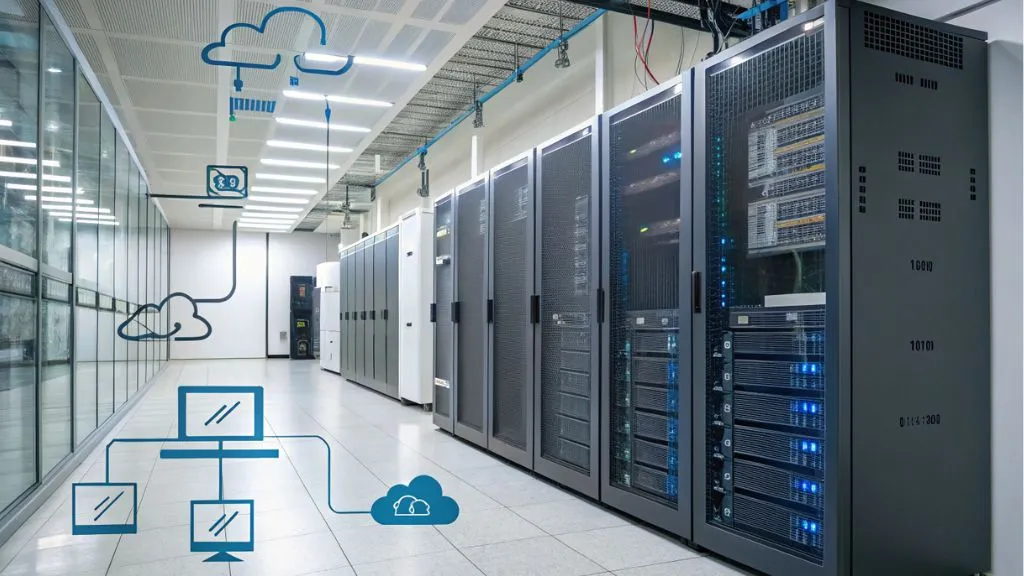
Cloud technologies combine physical infrastructure, software, and network management tools. A user sends a request over the internet or a private connection, and the required operation is performed using the provider’s resources. In some services, the customer creates and configures resources through a control panel or API; in others, the provider takes care of most technical administration.
Several components support a cloud environment. Their makeup and the division of responsibilities depend on the type of service.
- Data centers and physical equipment.
Data centers are specialized facilities that house servers, data storage systems, network equipment, and engineering infrastructure. The provider or data center operator is responsible for the physical facility within the scope of its role and agreements. Cloud service customers do not usually manage individual physical servers unless the specific service provides for it.
A data center’s resilience does not automatically determine the availability of every application hosted there. Availability is also affected by the service architecture, network connections, virtual resource configuration, software fault tolerance, redundancy, and SLA terms.
- Infrastructure hosting. Servers and storage are located in a physical environment to which the customer typically has logical rather than physical access.
- Power and cooling. These systems support the operation of equipment in a data center. Their specifications describe the facility’s infrastructure but do not guarantee uninterrupted operation of every virtual machine or application.
- Network connectivity. Channels and network nodes enable data exchange between resources and users. Latency depends on the route, bandwidth, workload, and the user’s location.
- Redundancy and recovery. Backups, replication, and failover are different mechanisms. Their availability, frequency, retention period, and recovery process should be checked for each specific service.
A data center provides the physical foundation for IT services, but data redundancy and business application continuity need to be planned across the entire system. This involves deciding which components must be duplicated, how recovery will be tested, and what duration of downtime is acceptable.
- Virtual servers and other resources.
Virtualization makes it possible to run multiple isolated virtual environments on physical equipment. These may have assigned virtual processors, memory, disk space, and network settings. The way resources are allocated, system performance, and the ability to change configurations depend on the platform and plan. Different solutions work on this principle, including VPS servers.
- Flexible environment creation. Virtual servers can be provisioned without purchasing separate physical equipment. This shortens setup time, but it does not mean every configuration is created instantly or without technical limitations.
- Resource allocation. Physical computing resources may serve multiple virtual environments. The provider manages the physical layer, while the customer manages the parts of the system included in their service.
- Logical isolation. Virtual environments are separated using platform tools, but isolation does not replace proper configuration of the operating system, network, accounts, and software.
- Different use cases. Virtual servers can be used for websites, internal applications, databases, and test environments, provided their requirements match the configuration.
Virtualization is one way of implementing infrastructure services, but it is not a complete definition of the cloud. The cloud model also covers how resources are provided and measured, network access, and resource management.
- Interfaces and management tools.
Users interact with cloud services through a web control panel, application programming interface (API), command line, or specialized software. Capabilities depend on the provider and product: one control panel may allow users to create servers and manage networks, while an administrator in a ready-to-use SaaS application may only be able to change account and access settings.
- Access to data and software. Users work with resources according to their assigned permissions and security policies.
- Resource management. Depending on the service, users may be able to change configurations, create environments, and manage networks, users, and access permissions.
- Usage tracking and monitoring. Interfaces may display resource usage, activity, or system status. The available reports and metrics depend on the platform.
Protecting access to the control panel is a shared responsibility. Where available, use multi-factor authentication, unique accounts, least-privilege access, software updates, and activity audits. Using a cloud service does not mean these settings have already been configured.
Cloud infrastructure operates through network connections. As a result, availability is affected not only by servers and the data center but also by the customer’s internet connection, routing, DNS, network configuration, and software components. These dependencies should be considered when designing critical systems.
A distributed architecture can help scale a system or reduce the impact of individual failures if it is designed and configured for that purpose. A copy of the data, synchronization between nodes, and a tested failover plan are not automatically available in every cloud service.
In short, the cloud combines computing resources, networking, software management, and operational processes. The configuration of these components determines how a system behaves under load, during changes, and in the event of an incident.
What Are the Different Cloud Models?
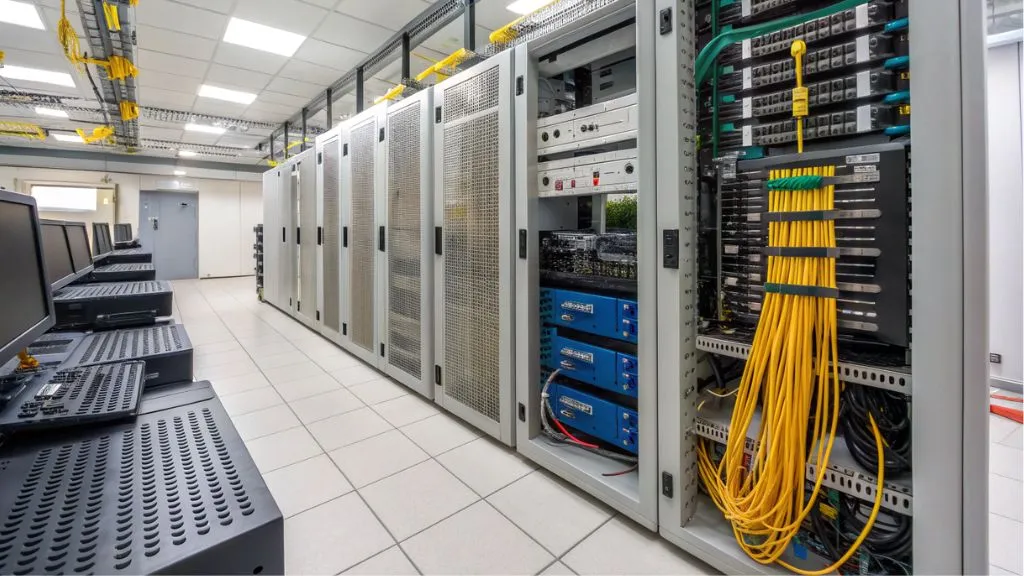
Deployment models describe whom the infrastructure is intended for, how access is organized, and who manages it. This classification is separate from IaaS, PaaS, and SaaS, which describe the service level. NIST defines public, private, community, and hybrid deployment models. Multi-cloud is a common strategy for using several providers, rather than one of these four models.
Public Cloud
A public cloud is infrastructure that a provider makes available to multiple customers over a network. Customers use resources separately, although the physical equipment may be shared. The platform provides separation between environments. The provider determines the level of control, isolation, administration, and available features.
The public cloud model provides access to resources without requiring customers to purchase all the equipment themselves. Some services allow customers to increase or decrease the configuration, but resource availability, how quickly changes can be made, and billing depend on the product and agreement. Payment may be monthly, based on usage, or structured in another way.
Not every public cloud includes ready-to-use analytics, artificial intelligence, or development services. These features are available only on platforms that provide them and may incur additional charges. Sharing physical infrastructure also does not mean that customers share access to each other’s data.
Examples of public cloud use:
- Online stores can host some of their server infrastructure or supporting environments in the cloud. Payment operations, databases, and customer data require a separate review of data protection and processing requirements.
- Startups can launch test environments or products on rented resources and adjust them to match workload and budget.
- Mobile applications can connect to a backend hosted in the cloud. Performance depends on the application architecture, network, and platform configuration.
Atman Cloud is an example of a public cloud that Hostpark offers based on the OpenStack technology ecosystem. Current resources and service terms are listed on the Atman Cloud public cloud page; check them against the project’s needs before selecting a configuration.
Private Cloud
A private cloud is a cloud environment intended for use by one organization. It may be located in the company’s own data center or on a provider’s infrastructure. The defining feature is the intended use of the environment, not necessarily the company’s ownership of all the equipment.
A private model can give an organization more control over configuration and resource isolation. However, the term “private” does not in itself guarantee security, performance, or regulatory compliance. The architecture, administration, licensing, access controls, redundancy, data storage location, and contractual obligations should all be assessed.
A private environment may be suitable for systems that need a separate resource pool, controlled integrations, or specific configurations. Supporting this infrastructure may require more planning, expertise, and funding than using a ready-made service.
For organizations that need a dedicated cloud environment based on VMware, Hostpark offers a VMware private cloud. The solution’s parameters, the division of responsibilities, and support terms should be confirmed for the selected configuration.
Examples of private cloud use:
- Financial institutions may use a private environment for systems with defined requirements for control, integrations, and access. Choosing a cloud does not by itself confirm compliance with regulatory requirements.
- Government and large organizations may consider a private environment for specific workloads when they need particular operating conditions or integrations.
- Companies with critical corporate systems may host systems in a private environment when isolation and controlled changes are important.
Possible limitations of a private cloud:
- Costs for dedicated resources. These may be higher than in shared infrastructure, but the total depends on resources, licences, administration, and the length of use.
- Expansion planning. Scaling depends on the architecture, resource availability, and service terms. Do not assume that any increase in capacity will happen instantly.
- Operational complexity. It is necessary to determine who is responsible for operating systems, updates, monitoring, backups, and incident response.
A private cloud is chosen for reasons beyond data criticality. Its suitability depends on isolation and control requirements, team capabilities, and the total cost of ownership.
Hybrid Cloud
A hybrid cloud combines private infrastructure with a public cloud. Some systems may run in an on-premises or private environment, while others run in a public service. To make this arrangement work as a coordinated architecture, it requires designed connections, identity management, network rules, and data transfer.
A company may keep certain systems in an environment where it is easier to control the configuration and host others in a public cloud. This choice should not be reduced to “sensitive data in a private cloud, everything else in a public cloud”: data location and processing should be determined with regard to legislation, contracts, and technical dependencies.
A hybrid architecture is sometimes used to increase computing resources temporarily. Moving workloads between environments is not automatic: it requires compatible systems, sufficient bandwidth, configured data, and a deployment plan. Specialized network solutions can be used to connect infrastructures, including Cloud Connect for hybrid cloud solutions.
Examples of hybrid cloud use:
- Financial organizations can combine on-premises or private systems with specific external services if this meets their requirements and data processing rules.
- Large companies can integrate existing systems with new cloud applications and change their infrastructure gradually.
- E-commerce businesses can use different environments for platform components after planning data exchange, access, and responsibility.
Possible limitations of a hybrid cloud:
- More complex administration. Different environments may have separate tools, policies, and change cycles.
- Dependence on connections. Delays or interruptions between environments may affect systems that exchange data in real time.
- Additional integration costs. Network connections, licences, administration, data transfer, and support need to be included in the assessment.
A hybrid model combines different types of infrastructure but does not eliminate the complexity of managing them. Before implementation, determine which systems will interact, how they will operate if a connection is lost, and who will support each part.
Multi-Cloud
Multi-cloud is a strategy that uses two or more cloud providers. A company may select different services for specific tasks or maintain systems in several cloud environments. It is not the same as a hybrid cloud: a hybrid model combines different types of infrastructure, while multi-cloud describes the use of multiple providers and can be either hybrid or entirely cloud-based.
A multi-cloud architecture may be considered to use the capabilities of different platforms or distribute dependencies across providers. However, it does not provide redundancy by itself. To switch between clouds, applications, data, networks, access controls, and operational procedures must be prepared for that scenario.
To compare platforms and approaches, companies may find it useful to review a comparison of cloud platforms for private and hybrid clouds. Its findings should be considered alongside current product versions and the requirements of the specific organization.
Examples of multi-cloud use:
- International companies can host systems with providers that meet the requirements of different regions or divisions.
- Development teams can use separate environments for testing, redundancy, or specialized services when this is justified by the architecture.
- Organizations with different workloads can combine providers, but they need to coordinate monitoring, cost tracking, access management, and incident response.
Possible limitations of multi-cloud:
- More complex management. Multiple control panels, tools, contracts, and billing models make the environment harder to manage.
- Different security rules. Access, logging, encryption, and key management policies need to be coordinated across platforms.
- Migration costs. Dependencies on specific services, data formats, and network connections may make it harder to leave a platform or move systems.
Multi-cloud makes sense when there is a specific reason to use several providers and an operational plan to support them. Adding another platform without a clear purpose may increase complexity and costs without improving system availability.
Community Cloud
A community cloud is infrastructure for organizations that share requirements, objectives, or policies. Several participants may use the environment, while its management and payment arrangements are determined by the operating model and contracts. It is one of the deployment models included in the NIST classification.
A community cloud can distribute some costs among organizations and help standardize processes. At the same time, it requires clear separation of data and access, administration rules, and defined responsibilities for participants.
Examples of possible use:
- Healthcare institutions may consider shared infrastructure for specific data exchange systems if it meets legislative, contractual, and confidentiality requirements.
- Universities and research institutions may share resources for educational or research tasks.
- Government organizations may pool resources for shared systems when management and protection rules have been defined.
The main challenge of a community cloud is agreeing on standards, cost allocation, and responsibilities among participants. Without formalized rules, sharing infrastructure may make control and auditing more difficult.
Types of Cloud Services: IaaS, PaaS, SaaS
IaaS, PaaS, and SaaS describe the level of service a customer receives. The more components the provider takes responsibility for, the less infrastructure the customer has to administer, but the more the customer depends on the platform’s features, terms, and capabilities. For more on how these models differ, see the article on types of cloud services.
| Model | What the provider supplies | What the customer usually controls |
| IaaS | Computing resources, storage, and networking | The operating system, software, data, and some configuration |
| PaaS | Infrastructure and a platform for developing or running applications | Code, data, and application settings within the platform’s capabilities |
| SaaS | A ready-to-use application and its technical foundation | Accounts, access permissions, their own data, and available settings |
Before choosing a service, check who is responsible for updates, security, backups, and recovery. The exact division of responsibilities depends on the specific service and the provider’s terms.
These models are not interchangeable. IaaS may suit an organization that wants to control the operating system and server configuration; PaaS may suit application development with less infrastructure administration; SaaS may suit the use of a ready-to-use business application. When choosing a service, find out who is responsible for updates, security, backups, and recovery for each component.
What Are the Benefits of Cloud Technologies for Business?
Cloud solutions can help businesses access computing resources faster, reduce the amount of equipment they own, or make their IT environment more flexible. The benefits depend on the workload, architecture, and the team’s expertise. Moving to the cloud does not eliminate the need to plan costs, manage access, and maintain systems.
Control Over Capital Expenditure and Total Cost
Renting infrastructure can reduce the need for large initial investments in equipment. A company pays for resources according to the model set out in its agreement: this may be usage-based billing, a fixed monthly fee, or another arrangement. It is therefore inaccurate to claim that businesses in every cloud pay only for actual usage.
For a meaningful comparison, include computing resources, storage, traffic, licences, backups, technical support, administration, migration, and potential exit costs. For a stable, continuous workload, owned or dedicated infrastructure may sometimes be more cost-effective than using cloud resources continuously.
Adjusting Configuration to Workload
In many cases, cloud resources can be increased or reduced without buying new equipment. This may be useful for seasonal projects, test environments, and products with unpredictable demand. Before launch, check which resources can be changed, whether a restart is required, how quickly additional capacity can be provided, and how the change will affect the bill.
Scaling is not always automatic and does not remove application limitations. If software does not support distributed operation or depends on a single database, adding more servers may not produce the expected result.
Remote Access and Collaboration
Cloud applications and infrastructure can be accessible to users in different offices and on different devices. This makes remote work easier when authentication, network access, and permissions are configured. For critical systems, it is also important to have alternative access methods and procedures for dealing with connection problems.
Remote access does not automatically protect against user errors or compromised accounts. Organizations should use multi-factor authentication, limit access permissions, and review active accounts regularly.
Managing Availability and Recovery
Cloud infrastructure may include resource redundancy and recovery tools, but their scope depends on the service and configuration. Backups, replication, and failover address different needs. For critical systems, companies should define the acceptable amount of data loss (RPO) and recovery time (RTO), check whether the selected configuration can meet those targets, and test recovery regularly.
Hostpark offers separate backup solutions, including BaaS and backup services. A backup should be configured for the data that needs to be retained, and recovery should be tested in practice. The backup frequency, retention period, and recovery parameters should be agreed for the specific solution.
Access to Tools and Specialized Services
Some cloud platforms provide tools for development, data processing, automation, or machine learning. These are not standard features of every cloud: availability depends on the provider, region, product, technical requirements, and price. Before using them, assess computing needs, data storage location, compatibility, and the team’s expertise.
A cloud environment may simplify access to resources for experiments and new products, but it does not guarantee commercial success or automatically accelerate development. Determine who will deploy, update, and maintain these solutions.
Disadvantages and Risks of Using Cloud Technologies

The cloud changes how IT resources are acquired and managed, but it does not eliminate technical or organizational risks. Before migrating, assess what could affect system operation and how to reduce those risks.
- Dependence on network connectivity. Access to remote infrastructure depends on the internet or a private connection. For critical systems, it is important to assess backup connections, network dependencies, and procedures for dealing with outages.
- Shared responsibility for security. The provider and customer are responsible for different system layers, and the exact division depends on the service model. The provider may manage the physical infrastructure, while the customer manages accounts, access settings, the operating system, or data. The shared responsibility model for cloud security, explained by the UK National Cyber Security Centre, helps clarify why each service’s responsibilities should be defined separately.
- Rising costs. Costs may increase because of excess resources, data transfer, backups, licences, or a change in the pricing plan. Budgets, alerts, consumption analysis, and removing unused resources can help control spending.
- Less control over the physical layer. In a managed cloud, customers usually do not choose a specific physical server or control every data center detail. If this level of control is required, consider a different model and confirm what the provider can offer.
- Migration and integration complexity. Legacy applications, dependencies on on-premises systems, licences, and data storage methods can make migration more difficult. An inventory and testing are usually needed before migration.
- Data processing and storage location. For some systems, it is important to know which country the resources are in, how data is transferred, and which contractual terms apply. Check geography and compliance for the specific product.
- Provider dependence. Using specialized tools, formats, or APIs may make it harder to switch to another service. Before implementation, assess data export options, outbound traffic costs, and migration timelines.
- No automatic backup. Storing data in the cloud does not always mean that a separate backup exists. Find out whether backup is included in the service, who configures it, how long copies are retained, and how data can be restored.
- Need for expertise. Even when the provider maintains part of the infrastructure, companies need specialists to manage architecture, access, costs, updates, and incidents.
Before choosing a cloud model, it is useful to list critical systems and data, define security requirements, and establish acceptable downtime. This helps compare not only price but also the solution’s suitability for specific tasks.
Who Can Benefit from Cloud Solutions?
Cloud solutions can be useful for companies of different sizes, but the best model varies from one organization to another. Important factors include workload characteristics, data requirements, existing systems, budget, and the team’s ability to maintain the infrastructure.
For IT companies, the cloud can provide environments for developing, testing, and running software. Teams can create separate environments faster while taking service compatibility, access management, and costs for inactive resources into account.
For startups, rented resources make it possible to get started without purchasing all the required equipment. At an early stage, it is important to monitor billing, limit excess resources, and account for the possibility that costs will increase as workloads grow.
For online stores, the cloud can provide infrastructure for a website, database, and integrations. Payment transactions are processed by the relevant payment systems, and a cloud server alone does not guarantee website speed, payment availability, or protection of customer information. To speed up the delivery of static files, a business can assess a CDN separately and check whether a specific service meets the project’s needs.
For large companies, cloud services can help unify access to certain systems and support teams working in different locations. Implementation requires planning user identity management, integrations, change control, cost tracking, and interaction with existing infrastructure.
For small and medium-sized businesses, cloud software can provide access to accounting, communication, and project management tools without having to maintain the server side themselves. However, it is still necessary to check subscription terms, employee access, data export, and the process for ending use of the service.
For organizations with several offices, cloud systems can make it easier to work with shared data and applications. This requires reliable network connections, clear access rules, and an assessment of latency between users and services.
The cloud is not necessary for every workload. Systems with stable consumption patterns, specialized equipment requirements, or significant data transfer costs may work better in another environment. Make the decision after assessing the total cost and operational requirements.
The Future of Cloud: Key Areas of Development
Cloud technologies are a model that gives a company access to servers, storage, networks, and software over the internet without necessarily requiring it to buy its own equipment. They can help launch projects faster and adjust resources to meet demand, but they do not automatically guarantee lower costs, continuous operation, or automatic scaling. The result depends on the service selected, its configuration, the agreement with the provider, and how the company manages its systems.
This article explains what cloud technologies are, how they work, how cloud models differ from service types, and which benefits, risks, and selection criteria businesses should consider.
Why are businesses moving to the cloud?
Companies consider the cloud when they need IT resources quickly, want to avoid some of the capital costs of equipment, or need to adjust infrastructure capacity to match demand. A public cloud may suit some tasks, while others may call for a private environment, on-premises servers, or a combination of these options. The choice depends on performance requirements, data storage location, control, and budget.
Businesses can use cloud services to host systems and data. Before choosing one, it is worth finding out how billing works, which features are included, and who is responsible for administration. Common reasons for moving to the cloud include:
- Lower upfront investment in equipment. By renting cloud resources, a company can postpone or avoid purchasing some servers, storage systems, and network equipment. However, the cloud is not always cheaper than on-premises infrastructure: costs may also include licenses, traffic, backups, support, administration, and additional resources. Compare the total cost over the entire period of use, not just the initial price.
- Flexible resource provisioning. In many cloud environments, computing power, storage capacity, or network parameters can be changed without purchasing physical equipment. How quickly changes can be made, and whether automatic scaling is available, depend on the platform and its configuration.
- Faster project launches. Virtual resources can often be obtained faster than it takes to complete the full cycle of purchasing, delivering, and installing equipment. This is useful for test environments and new projects, provided the selected configuration meets their technical requirements.
- Access to systems from different locations. Cloud software and infrastructure can be accessed remotely with an internet connection, configured access, and appropriate security rules. This does not mean that every user should have access to all resources.
- Choosing a model for a specific workload. A company can host systems in different environments. For example, it might use a public cloud for variable workloads, a private environment for specific corporate systems, and separate storage for backups.
Moving to the cloud does not guarantee savings and does not replace planning. Before migration, assess system requirements, expected workloads, availability needs, costs, and how responsibilities will be shared.
What are cloud technologies in simple terms?
Cloud technologies provide access to computing resources over a network, usually the internet. These resources may include servers, storage, networks, software, and other services. In its definition of cloud computing in NIST SP 800-145, the U.S. National Institute of Standards and Technology describes the cloud as a model for on-demand network access to a shared pool of resources that can be rapidly provisioned and released. Its characteristics also include on-demand self-service, broad network access, resource pooling, and measured service. This is a general definition of the technology, not a description of a specific product or a guarantee of a particular service level.
In everyday life, people use the cloud when they store files in online storage or edit a document in a browser. In business, cloud services may include ready-to-use software as well as virtual servers, storage, or development platforms. The physical equipment is located in the provider’s data centers or other infrastructure, while users access resources over a network through the service interface.
For example, a Google Docs document can be accessed from different devices after signing in and connecting to the internet. Users do not need to maintain a server for that document themselves. However, storing a file in a cloud service does not remove the need to manage access, protect the account, and understand the service’s data storage rules.
How do cloud technologies work?
Cloud technologies combine physical infrastructure, software, and network management tools. A user sends a request over the internet or a private connection, and the required operation is carried out using the provider’s resources. In some services, the customer creates and configures resources through a control panel or API; in others, the provider handles most of the technical administration.
A cloud environment relies on several components. Their scope and the allocation of responsibilities depend on the type of service.
- Data centers and physical equipment.
Data centers are specialized facilities that house servers, data storage systems, network equipment, and engineering infrastructure. The provider or data center operator is responsible for the physical facility within the scope of its role and agreements. Cloud service customers do not usually manage individual physical servers unless the specific service provides for it.
The resilience of a data center does not automatically determine the availability of every application hosted there. Availability also depends on the service architecture, network connections, virtual resource configuration, software fault tolerance, redundancy, and SLA terms.
- Infrastructure hosting. Servers and storage are located in a physical environment to which the customer usually has logical, rather than physical, access.
- Power and cooling. These systems keep equipment running in a data center. Their specifications describe the facility’s infrastructure, but they do not guarantee uninterrupted operation of every virtual machine or application.
- Network connectivity. Network links and nodes enable data exchange between resources and users. Latency depends on the route, bandwidth, network load, and the user’s location.
- Redundancy and recovery. Backups, replication, and failover are different mechanisms. Their availability, frequency, retention period, and recovery process should be checked for the specific service.
A data center provides the physical foundation for IT services, but data backup and business application continuity need to be designed across the entire system. This involves deciding which components need redundancy, how recovery will be tested, and what length of outage is acceptable.
- Virtual servers and other resources.
Virtualization makes it possible to run multiple isolated virtual environments on physical equipment. They may have allocated virtual processors, memory, disk space, and network settings. How resources are allocated, the level of performance, and whether configurations can be changed depend on the platform and plan. Different solutions, including VPS servers, work on this principle.
- Flexible environment provisioning. Virtual servers can be provided without purchasing separate physical equipment. This shortens setup time, but it does not mean every configuration is created instantly or without technical limitations.
- Resource allocation. Physical computing resources may serve multiple virtual environments. The provider manages the physical layer, while the customer manages the parts of the system included in their service.
- Logical isolation. The platform separates virtual environments, but isolation does not replace properly configuring the operating system, network, accounts, and software.
- Different use cases. Virtual servers can be used for websites, internal applications, databases, and test environments if their requirements match the configuration.
Virtualization is one way to deliver infrastructure services, but it is not a complete definition of the cloud. The cloud model also covers how resources are provisioned and measured, network access, and resource management.
- Interfaces and management tools.
Users interact with cloud services through a web control panel, an application programming interface (API), a command line, or a dedicated application. Capabilities vary by provider and product: one control panel may allow users to create servers and manage networks, while a ready-made SaaS application may let an administrator change only account and access settings.
- Access to data and applications. Users work with resources according to the permissions and security policies assigned to them.
- Resource management. Depending on the service, users may be able to change configurations, create environments, and manage networks, users, and access.
- Usage tracking and monitoring. Interfaces may show resource usage, activity, or system status. Reports and metrics vary by platform.
Protecting access to a control panel is a shared responsibility. Where available, organizations should use multi-factor authentication, unique accounts, least-privilege access, software updates, and activity audits. Using a cloud service does not mean these settings have already been configured.
Cloud infrastructure operates through network connections. As a result, availability depends not only on servers and the data center, but also on the customer’s internet connection, routing, DNS, network configuration, and software components. These dependencies should be taken into account when designing systems for critical workloads.
A distributed architecture can help scale a system or reduce the impact of individual failures if it has been designed and configured for that purpose. Data copies, synchronization between nodes, and a tested failover plan are not automatically included in every cloud service.
In short, the cloud combines computing resources, networks, software management, and operational processes. How these components are configured determines how the system behaves under load, during changes, and in the event of an incident.
What are the different cloud models?
Deployment models describe who an infrastructure is intended for, how access is organized, and who manages it. This is a separate classification from IaaS, PaaS, and SaaS, which describe the service level. NIST defines public, private, community, and hybrid deployment models. Multi-cloud is a common strategy involving multiple providers, not one of these four models.
Public cloud
A public cloud is infrastructure that a provider makes available to multiple customers over a network. Customers use resources separately, although the physical equipment may be shared. The platform provides separation between customer environments. The provider determines the level of control, isolation, administration, and available features.
The public cloud model gives customers access to resources without having to purchase all the equipment themselves. Some services let customers increase or decrease their configuration, but resource availability, the speed of changes, and payment methods depend on the product and agreement. Customers may be charged a monthly fee, pay for usage, or use another billing arrangement.
Not every public cloud includes ready-to-use analytics, artificial intelligence, or development services. These features are available only on platforms that provide them, and they may incur additional charges. Sharing physical infrastructure also does not mean that customers share access to one another’s data.
Examples of public cloud use:
- Online stores may host part of their server infrastructure or supporting environments in the cloud. Payment processing, databases, and customer data require a separate review of security and data processing requirements.
- Startups may launch test environments or products using rented resources, adjusting them to workload and budget.
- Mobile applications may connect to a backend hosted in the cloud. Performance depends on the application architecture, network, and platform configuration.
Atman Cloud is an example of a public cloud that Hostpark offers based on the OpenStack technology ecosystem. Current resources and service terms are listed on the Atman Cloud public cloud page; check them against the project’s requirements before choosing a configuration.
Private cloud
A private cloud is a cloud environment intended for use by a single organization. It may be located in the company’s own data center or on a provider’s infrastructure. Its defining feature is who the environment is intended for, not necessarily whether the company owns all the equipment.
A private model may give an organization greater control over configuration and resource isolation. However, the term “private” does not by itself guarantee security, performance, or regulatory compliance. The architecture, administration, licensing, access controls, redundancy, data storage location, and contractual obligations all need to be assessed.
A private environment may be suitable for systems that need a dedicated resource pool, controlled integrations, or specific configurations. Supporting this type of infrastructure may require more planning, expertise, and funding than using a ready-made service.
For organizations that need a separate cloud environment based on VMware, Hostpark offers VMware private cloud. The solution’s specifications, the parties’ responsibilities, and support terms should be confirmed for the selected configuration.
Examples of private cloud use:
- Financial institutions may use a private environment for systems with specific requirements for control, integration, and access. Choosing a cloud does not in itself confirm compliance with regulatory requirements.
- Government and large organizations may consider a private environment for specific workloads if they need particular operating conditions or integrations.
- Companies with critical corporate systems may host systems in a private environment when isolation and controlled changes are important.
Possible limitations of a private cloud:
- Costs for dedicated resources. These may be higher than in shared infrastructure, but the total depends on resources, licenses, administration, and the period of use.
- Expansion planning. Scaling depends on the architecture, resource availability, and service terms. Do not assume that any increase in capacity will happen instantly.
- Operational complexity. The organization needs to determine who is responsible for operating systems, updates, monitoring, backups, and incident response.
A private cloud is not chosen only because data is critical. Its suitability depends on isolation and control requirements, the team’s capabilities, and the total cost of ownership.
Hybrid cloud
A hybrid cloud combines private infrastructure with a public cloud. Some systems may run in an on-premises or private environment, while others run in a public service. For this setup to work as a coordinated architecture, it requires planned connections, identity management, network rules, and data transfer.
A company may keep specific systems in an environment where configuration is easier to control, while placing others in a public cloud. This choice should not be reduced to “sensitive data in a private cloud, everything else in a public cloud”: data location and processing need to be determined with legislation, agreements, and technical dependencies in mind.
A hybrid architecture is sometimes used to temporarily increase computing resources. Moving workloads between environments is not automatic: it requires compatible systems, sufficient bandwidth, configured data, and a launch plan. Dedicated network solutions may be used to connect infrastructure, including Cloud Connect for hybrid cloud solutions.
Examples of hybrid cloud use:
- Financial organizations may combine on-premises or private systems with specific external services if this meets their requirements and data processing rules.
- Large companies may integrate existing systems with new cloud applications and gradually change their infrastructure.
- E-commerce businesses may use different environments for platform components after planning data exchange, access, and responsibilities.
Possible limitations of a hybrid cloud:
- More complex administration. Different environments may have separate tools, policies, and change cycles.
- Dependence on connections. Delays or disruptions between environments may affect systems that exchange data in real time.
- Additional integration costs. Network links, licenses, administration, data transfer, and support need to be included in the budget.
A hybrid model combines different types of infrastructure, but it does not remove the complexity of managing them. Before implementation, determine which systems will interact, how they will operate if a connection is lost, and who will support each part.
Multi-cloud
Multi-cloud is a strategy that uses two or more cloud providers. A company may select different services for specific tasks or run systems in different cloud environments. This is not the same as a hybrid cloud: a hybrid model combines different types of infrastructure, while multi-cloud describes the use of multiple providers and can be either hybrid or entirely cloud-based.
Organizations consider a multi-cloud architecture to use the capabilities of different platforms or distribute dependencies across providers. However, multi-cloud does not provide redundancy by itself. To switch between clouds, applications, data, networks, access, and operating procedures need to be prepared for that scenario.
Companies comparing platforms and approaches may find it useful to review a comparison of cloud platforms for private and hybrid clouds. Its conclusions should be considered alongside current product versions and the specific organization’s requirements.
Examples of multi-cloud use:
- International companies may host systems with providers that meet the requirements of different regions or business units.
- Development teams may use separate environments for testing, backup, or specialized services when this is justified by the architecture.
- Organizations with different workloads may combine providers, but they need to align monitoring, cost tracking, access management, and incident response.
Possible limitations of multi-cloud:
- More complex management. Multiple control panels, tools, agreements, and billing models make it harder to manage the environment.
- Different security rules. Access, logging, encryption, and key management policies need to be aligned across platforms.
- Migration costs. Dependencies on specific services, data formats, and network connections may make it more difficult to leave a platform or move systems.
Multi-cloud makes sense when using multiple providers serves a specific purpose and is supported by an operational plan. Adding another platform without a defined reason can increase complexity and costs without improving system availability.
Community cloud
A community cloud is infrastructure for organizations with shared requirements, objectives, or policies. Several participants may use the environment, while its management and payment arrangements depend on the collaboration model and agreements. This is one of the deployment models listed in the NIST classification.
A community cloud can distribute some costs among organizations and help standardize processes. At the same time, it requires clear separation of data and access, administration rules, and defined responsibilities for each participant.
Examples of possible uses:
- Healthcare institutions may consider shared infrastructure for specific data exchange systems, provided it meets legislative, contractual, and confidentiality requirements.
- Universities and research institutions may share resources for educational or research tasks.
- Government organizations may pool resources for shared systems when management and security rules are defined.
The main challenge of a community cloud is agreeing on standards, cost allocation, and responsibilities among participants. Without formalized rules, shared infrastructure can make monitoring and auditing more difficult.
Cloud service types: IaaS, PaaS, SaaS
IaaS, PaaS, and SaaS describe the service level a customer receives. The more components the provider takes responsibility for, the less infrastructure the customer has to administer, but the more the customer depends on the platform’s features, terms, and capabilities. For more information about the differences, see the overview of cloud service types.
| Model | What the provider supplies | What the customer usually controls |
| IaaS | Computing resources, storage, and networking | The operating system, applications, data, and some configuration |
| PaaS | Infrastructure and a platform for developing or running applications | Code, data, and application settings within the platform’s capabilities |
| SaaS | A ready-to-use application and its technical foundation | Accounts, access rights, their own data, and available settings |
Before choosing a service, check who is responsible for updates, security, backups, and recovery. The exact division of responsibilities depends on the service and the provider’s terms.
These models are not interchangeable. IaaS may suit an organization that wants to control the operating system and server configuration; PaaS may suit application development with less infrastructure administration; SaaS may suit businesses that need a ready-to-use application. When choosing a model, find out who is responsible for updates, security, backups, and recovery for each component.
What are the benefits of cloud technologies for business?
Cloud solutions can help businesses access computing resources faster, reduce the amount of equipment they own, or make their IT environment more flexible. The benefits depend on workloads, architecture, and the team’s expertise. Moving to the cloud does not eliminate the need to plan costs, manage access, and maintain systems.
Controlling capital expenses and total cost
Renting infrastructure can reduce the need for large upfront equipment investments. A company pays for resources according to the model set out in its agreement: this may be usage-based billing, a fixed monthly fee, or another arrangement. It is therefore inaccurate to claim that every cloud customer pays only for actual usage.
For an accurate comparison, include computing resources, storage, traffic, licenses, backups, technical support, administration, migration, and potential exit costs. For a stable, continuous workload, on-premises or dedicated infrastructure may sometimes be more cost-effective than using cloud resources continuously.
Adjusting configuration to workloads
In many cases, cloud resources can be increased or reduced without purchasing new equipment. This may be useful for seasonal projects, test environments, and products with unpredictable demand. Before launching, check which resources can be changed, whether a restart is needed, how quickly additional capacity can be provided, and how this will affect the bill.
Scaling is not always automatic, and it does not remove application limitations. If software does not support distributed operation or depends on a single database, adding servers may not produce the expected result.
Remote access and collaboration
Cloud applications and infrastructure can be accessible to users in different offices and on different devices. This makes remote work easier when authentication, network access, and permissions are configured. For critical systems, it is also important to have backup access methods and procedures for connection issues.
Remote access does not automatically protect against user errors or compromised accounts. Organizations should use multi-factor authentication, limit access rights, and regularly review active accounts.
Managing availability and recovery
Cloud infrastructure may include resource redundancy and recovery tools, but these vary by service and configuration. Backups, replication, and failover address different needs. For critical systems, companies should define the acceptable amount of data loss (RPO) and recovery time (RTO), check whether the selected configuration can meet these objectives, and test recovery regularly.
Hostpark offers separate backup solutions, including BaaS and backup services. Backups should be configured for the data that needs to be retained, and recovery should be tested in practice. The backup frequency, retention period, and recovery parameters should be agreed for the specific solution.
Access to tools and specialized services
Some cloud platforms provide tools for development, data processing, automation, or machine learning. These are not standard features of every cloud: their availability depends on the provider, region, product, technical requirements, and price. Before using them, assess computing needs, data storage location, compatibility, and the team’s expertise.
A cloud environment can make resources more accessible for experiments and new products, but it does not guarantee commercial success or automatically accelerate development. Determine who will deploy, update, and support these solutions.
Disadvantages and risks of using cloud technologies
The cloud changes how IT resources are acquired and managed, but it does not eliminate technical or organizational risks. Before migrating, assess what could affect system operation and how these risks can be reduced.
- Dependence on network connectivity. Access to remote infrastructure depends on the internet or a private connection. For critical systems, assess backup connections, network dependencies, and procedures for operating during outages.
- Shared responsibility for security. The provider and customer are responsible for different layers of a system, and the exact division depends on the service model. The provider may manage physical infrastructure, while the customer manages accounts, access settings, the operating system, or data. The shared responsibility model for cloud security, explained by the UK National Cyber Security Centre, helps clarify why responsibilities should be defined separately for each service.
- Increasing costs. Costs may rise due to excess resources, data transfer, backups, licenses, or a change in pricing. Budgets, alerts, usage analysis, and removing unused resources can help control spending.
- Less control over the physical layer. In a managed cloud, the customer usually does not choose an individual physical server or control every detail of the data center. If that level of control is necessary, consider a different model and confirm the provider’s capabilities.
- Migration and integration complexity. Legacy applications, dependencies on local systems, licenses, and data storage methods can make migration more difficult. An inventory and testing are usually needed before migration.
- Data processing and storage location. For some systems, it is important to know which country the resources are in, how data is transferred, and which contractual terms apply. The location and compliance requirements should be checked for the specific product.
- Provider dependency. Using specific tools, formats, or APIs may make it harder to switch to another service. Before implementation, assess data export options, outbound traffic costs, and migration timelines.
- No automatic backup. Storing data in the cloud does not always mean that a separate backup exists. Find out whether backup is included in the service, who configures it, how long copies are retained, and how data can be restored.
- Need for expertise. Even when the provider maintains part of the infrastructure, companies need specialists to manage architecture, access, costs, updates, and incidents.
Before choosing a cloud model, it is useful to list critical systems and data, define security requirements, and determine acceptable downtime. This helps compare not only the price but also whether a solution is suitable for specific needs.
Who can benefit from cloud solutions?
Cloud solutions can be useful to companies of different sizes, but the best model varies from one organization to another. Important factors include workload characteristics, data requirements, existing systems, budget, and the team’s ability to maintain infrastructure.
For IT companies, the cloud can provide environments for developing, testing, and running software. Teams can create separate environments more quickly while accounting for service compatibility, access management, and the cost of inactive resources.
Rented resources allow startups to get started without purchasing all the equipment they need. At an early stage, it is important to monitor billing, limit excess resources, and account for the possibility that costs will increase as workloads grow.
For online stores, the cloud can provide infrastructure for a website, database, and integrations. Payment transactions are handled by the relevant payment systems, and a cloud server alone does not guarantee website speed, payment availability, or protection of customer information. To speed up the delivery of static files, a company can separately assess a CDN and check whether the specific service meets the project’s needs.
For large companies, cloud services can help unify access to certain systems and support teams working across different locations. Implementation requires planning for user identity, integrations, change control, cost tracking, and interaction with existing infrastructure.
For small and medium-sized businesses, cloud software can provide access to accounting, communication, and project management tools without having to maintain the server side themselves. However, they should check subscription terms, employee access, data export, and what happens when they stop using the service.
For organizations with multiple offices, cloud systems can make it easier to work with shared data and applications. This requires reliable network connections, clear access rules, and an assessment of latency between users and services.
The cloud is not necessary for every workload. Systems with stable usage patterns, specialized hardware requirements, or significant data transfer costs may work better in another environment. Make the decision after assessing the total cost and operational requirements.
The future of cloud: areas of development
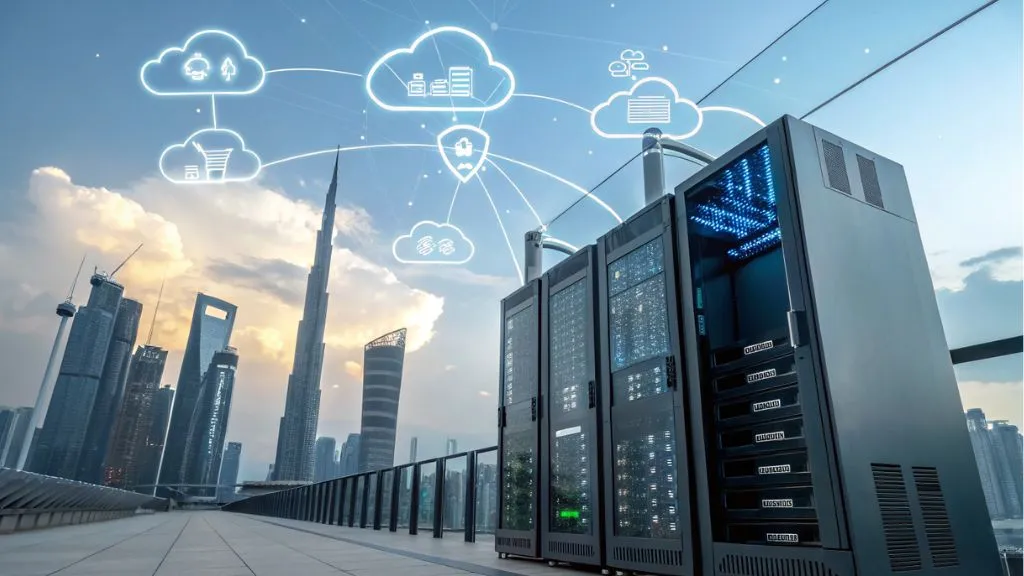
Cloud technologies are developing alongside new approaches to software development, data processing, and infrastructure management. The areas below describe technological approaches, not guaranteed features of every provider. Check the availability and terms of a specific service before using it.
Serverless computing
Serverless computing is a model in which developers run functions or code through a managed platform without directly administering servers. Servers still exist, but the platform provider maintains them. Billing methods, available environments, and limitations are set by the product terms.
This approach can be useful for short event-driven tasks, integrations, or individual application components. It is not always suitable for long-running processes, specialized software, or systems with requirements that the platform does not support.
- Less server administration. The provider handles some operations involving the underlying infrastructure, but the team controls the code, data, access rights, and application behavior.
- Ability to respond to events. Code can run in response to an event or request if the service supports it.
- Need to check billing. Charges may depend on execution time, request volume, and other parameters. Assess expected workloads before launch.
Edge computing
Edge computing is an approach in which some processing takes place closer to the source of the data or the user: on a device, a local node, or an edge server. It may shorten the distance data travels to a central environment, but actual latency depends on the network and the specific architecture.
- Local data processing. Some information can be processed closer to where it is generated if the device or edge node has the necessary resources.
- Less data sent to central systems. For some tasks, only the results need to be sent rather than the entire data stream.
- Dependence on distributed components. More nodes need to be updated, secured, and monitored than in a centralized model.
Edge computing can be useful for IoT, industrial systems, video analytics, and other tasks where local processing or limits on data transfer matter. It does not remove the need for central management or a plan for operating during a connection outage.
Artificial intelligence and the cloud
Cloud resources can be used to store data, train and run artificial intelligence models if the provider offers the relevant services. A company can also deploy its own software on virtual resources. In each case, it needs to assess computing needs, costs, data access, privacy requirements, and the service’s usage rules.
- Access to computing resources. A platform may provide resources for data processing or model deployment within the available configurations.
- Scaling computing capacity. Some services allow resource capacity to be adjusted to match a task, but this may significantly affect costs.
- Integration with business systems. Integration needs to be designed with access, data formats, and compatibility in mind. Having a cloud environment does not mean that integration with CRM, ERP, or other software has already been configured.
Energy efficiency and environmental impact
The energy efficiency of data centers and computing is becoming one of the factors considered when planning IT infrastructure. However, a cloud’s name or the fact that it is hosted in a data center is not enough to determine its environmental impact. Assessment requires data on energy consumption, electricity sources, equipment utilization, and the provider’s reporting methodology.
Businesses can reduce unnecessary resource consumption by removing inactive environments, choosing suitable configurations, and monitoring workloads. This may lower costs and avoid maintaining excess capacity, but the environmental effect should be assessed using data rather than general claims.
Further cloud development is associated with managed platforms, distributed processing, automation, and data tools. Their value to a specific company depends on whether they solve a real problem and whether the team can maintain the relevant environment.
Conclusion
Cloud technologies provide network access to IT resources and can help companies launch systems faster, change their infrastructure configuration, and reduce the need to own equipment. Their benefits are not automatic: costs, availability, security, and the ability to scale depend on the product, its design, and the terms of the agreement.
Before moving to the cloud, determine which systems will be migrated, where data must be stored, who will configure security, what recovery times are required, and how costs will be monitored. Backups, fault tolerance, and disaster recovery need to be planned and tested separately.
Public, private, hybrid, and community clouds address different needs. IaaS, PaaS, and SaaS differ in the level of management that remains with the customer. Choose a model that fits specific workloads and the team’s capabilities, not just the general trend toward cloud adoption.
Hostpark’s portfolio includes various cloud and related solutions, including Atman Cloud public cloud, VMware private cloud, Object Storage, and backup services. To select a configuration, match the project’s requirements with the current specifications and terms of the relevant service.