

When connecting to the internet normally, a browser or application establishes a connection to the server hosting the requested resource. Sometimes, however, an intermediary is needed to forward requests, change the visible IP address or control access to websites. This is what proxy servers are used for.
Proxies are used for more than browsing web pages from a different IP address. In corporate networks, they help manage traffic; in web development, they are used to test how services work from different regions; and in server infrastructure, they distribute loads across multiple servers. Proxies are also frequently compared with VPNs, although the two technologies operate differently and offer different levels of data protection.
Let’s look at how a proxy server works, what types exist, how safe they are to use and when a VPN may be the better choice.
What Is a Proxy Server?
A proxy server is an intermediary server that receives requests from a user, forwards them to a target resource and returns the response. Instead of communicating directly between a device and a website, data passes through an additional network node.
The name comes from the English word proxy, meaning an intermediary or representative. Technical documentation may also use the term proxy server.
To understand what a proxy is, it helps to consider the role of an IP address. With a direct connection, a web server usually sees the public IP address from which the request originates. When a user connects through a forward proxy, the website generally receives the request from the intermediary’s IP address. This makes it possible to change the IP address visible to the target website, although it does not guarantee complete anonymity.
For example, a user may be located in Ukraine but connect through a proxy in Germany. The website may see a German IP address as the source of the connection. At the same time, the proxy itself may know the user’s real address, while the website may identify them through their account, cookies and other indicators.
You can learn more about network addressing in Hostpark’s IPv4 / IPv6 glossary entry.
It is important to understand that the term “proxy server” covers several technologies. Some forward requests on behalf of users, while others sit in front of web servers and handle load balancing, caching and access control. What a particular proxy can do therefore depends on its architecture and configuration.
How Does a Proxy Server Work?
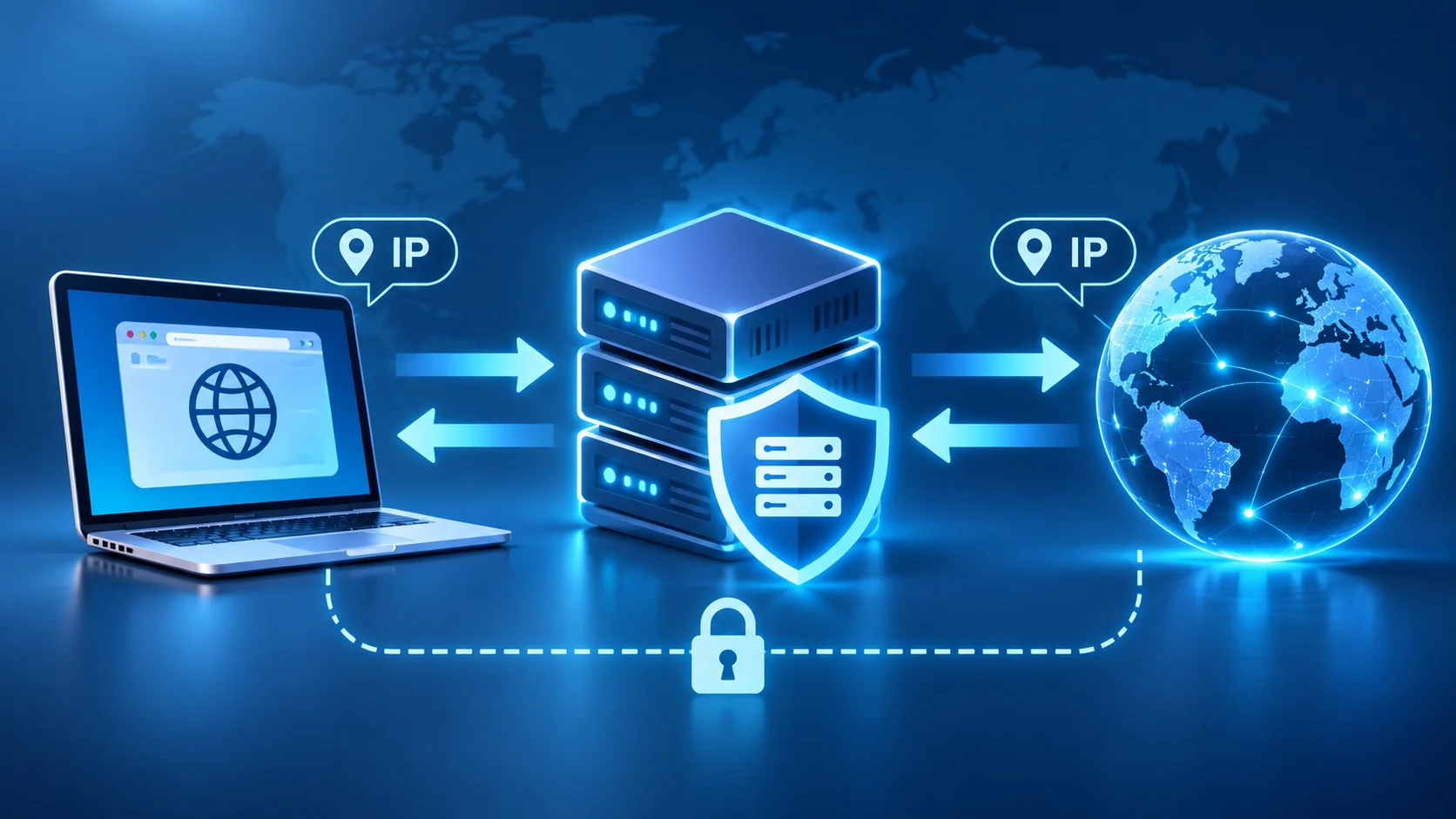
A proxy works by routing network requests through an intermediary server. Rather than accessing a web resource directly, the client first connects to a proxy, which processes the request according to its configuration.
The process consists of several successive stages:
- Sending the request. The user enters a website address in the browser. The browser, configured to use a proxy, contacts the intermediary server.
- Processing the request. The proxy checks connection parameters, access rules and, when necessary, user authentication. Depending on its configuration, it may reject the request or return a cached response.
- Connecting to the website. The proxy establishes a connection to the target resource. The web server typically sees the proxy’s IP address rather than the original client’s address.
- Receiving the response. The target server sends the requested data to the proxy, which forwards it to the user, sometimes applying additional filtering or caching rules.
- Displaying the result. The browser receives the response and loads the page. To the user, the process looks much like ordinary website browsing.
This sequence describes a typical forward-proxy setup. With HTTPS connections, an intermediary may establish a tunnel for encrypted traffic without gaining access to the message content. How data is transmitted depends on the protocol and security settings.
According to MDN Web Docs, proxies may serve as gateways between clients and the internet or sit in front of servers to manage access, caching and load distribution.
What Types of Proxy Servers Are There?

Proxy servers can be classified by data transfer protocol, request-handling method and position in the network infrastructure. These characteristics determine which applications can use the intermediary, what kinds of traffic it supports and what administrative functions are available.
The protocol should not be confused with the type of IP address. For example, a residential proxy may support HTTP or SOCKS5, while a reverse proxy may handle HTTPS connections.
HTTP Proxy
An HTTP proxy is primarily designed to process web requests using the HTTP protocol. It can receive browser requests, forward them to the target server, inspect headers, apply filtering rules and cache responses.
This type of proxy is used in corporate networks, access-control systems, website testing and other scenarios involving HTTP traffic. Its advantage is the ability to manage requests at the application layer, including restricting access to certain resources.
The main limitation concerns the security of unencrypted HTTP. When data is transmitted in plain text, an intermediary can potentially read or modify its contents. An HTTP proxy also does not, by itself, encrypt all of a user’s internet traffic.
However, an HTTP proxy that supports the CONNECT method can also carry HTTPS connections. It would therefore be incorrect to assume that an HTTP proxy works only with unsecured websites.
HTTPS Proxy
The term “HTTPS proxy” can refer to two different configurations: a proxy that clients access over an encrypted TLS connection, or an HTTP proxy that supports forwarding HTTPS traffic to a destination website. It is important to distinguish between these capabilities.
When a browser accesses an HTTPS website through a conventional HTTP proxy, it often uses the CONNECT method. The proxy creates a tunnel to the target server, after which the browser establishes a TLS connection with the website inside that tunnel.
In this configuration, the proxy forwards encrypted data but usually cannot read its contents. However, the intermediary may still be able to observe that a connection is being made to a particular domain or server.
The CONNECT mechanism is described in the official MDN HTTP documentation.
There are also corporate proxies with TLS inspection capabilities. They can decrypt and inspect traffic when a specially configured, trusted certificate infrastructure is in place. This is a different scenario with its own security and privacy requirements.
SOCKS4 and SOCKS5
SOCKS is a protocol for forwarding network traffic through an intermediary. Unlike an HTTP proxy, it is not limited to web requests and can be used by various network applications.
SOCKS4 is an older version of the protocol designed for TCP connections. It has limited authentication and addressing capabilities. The SOCKS4a extension also allows domain names to be passed to the proxy for address resolution.
SOCKS5 offers broader functionality. It supports TCP, UDP forwarding through the UDP ASSOCIATE mechanism, IPv6, domain names and negotiation of authentication methods.
This makes SOCKS5 suitable for applications requiring different types of network connections. Actual support for UDP and other features, however, depends on the server and client implementations.
The technical characteristics of SOCKS5 are defined in the IETF specification RFC 1928.
An important detail is that SOCKS5 does not automatically encrypt transmitted data. Authentication verifies that a user is allowed to connect, but does not necessarily protect the connection’s contents. Confidentiality requires separate encryption or an appropriate secure protocol.
Transparent Proxy Server
A transparent proxy is an intermediary through which network traffic can be routed without manually configuring a proxy in the user’s browser or device.
This architecture is sometimes used by internet service providers, companies, educational institutions and network infrastructure operators. For example, an organisation may direct web requests through a filtering system to restrict access to unwanted resources under its internal policies.
What makes a transparent proxy distinctive is how it is placed in the network path, not any guarantee of anonymity. It may retain or forward information about the client’s original IP address.
Furthermore, simply redirecting HTTPS traffic does not allow arbitrary inspection of its contents. Additional configuration, such as TLS inspection, is required for that purpose.
Forward Proxy and Reverse Proxy
Based on their position in a network, proxies can be divided into forward and reverse proxies. They use a similar intermediary principle but serve different sides of a connection.
A forward proxy operates on the client side. It receives user requests and forwards them to external resources. It is used to change the visible IP address, control internet access and organise outbound corporate traffic.
A reverse proxy sits in front of one or more web servers. Users connect to it as the entry point for a web service, and the proxy determines which internal server should handle each request.
A reverse proxy may provide load balancing, caching, TLS termination, request routing and security rules. It is a common component of infrastructure for websites, APIs and corporate services.
Nginx is an example of software frequently used as a reverse proxy. Its role in server architecture and differences from Apache are covered in the Hostpark article “Apache and Nginx Web Servers: Which One Should You Choose for Your Website?”.
The key difference is straightforward: a forward proxy represents the client to external resources, while a reverse proxy represents the server infrastructure to its users.
What Types of Proxies Are There by IP Address?
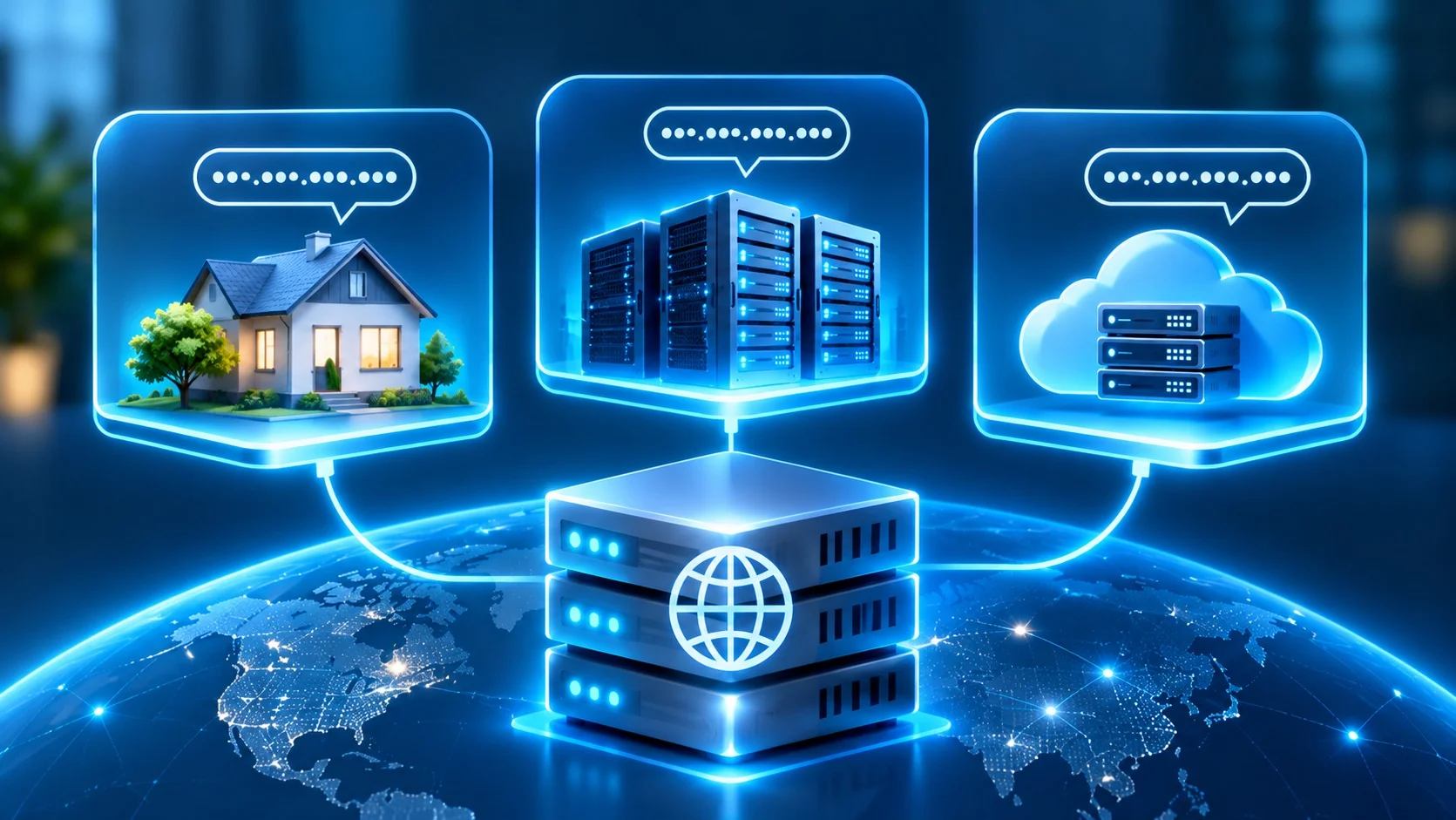
In addition to their protocols, proxies are classified by the origin of the IP address they use to connect to a target resource. The main categories are residential, data centre and mobile proxies.
The type of IP address can affect its reputation, access to certain resources, service cost and how website protection systems treat it. However, the address type alone does not guarantee high speed, stability or freedom from blocking.
Residential Proxy
Residential proxies use IP addresses associated with household internet connections. These addresses are typically assigned by broadband internet service providers.
To a website, a request from a residential IP address may resemble ordinary traffic from a home internet user. Such proxies are therefore used to check localised versions of websites, test advertising, research search results and collect publicly available data.
Residential addresses may be static or change over time. Some services offer IP rotation, meaning that different addresses are used according to defined rules or for new sessions.
A residential proxy does not, however, guarantee access to every website. Web resources can analyse not only the IP address but also request frequency, client behaviour and other technical characteristics.
The origin of IP addresses also deserves particular attention. A trustworthy provider should clearly explain how its network is formed and under what terms end users’ connections are used.
Data Centre Proxy
Data centre proxies run on servers hosted in data centres or other professional server infrastructure. Their IP addresses usually belong to hosting providers, data centre operators or organisations managing the relevant address ranges.
The advantages of data centre proxies include access to server resources, stable network connections and manageable infrastructure. When configured properly, they can provide high throughput and predictable response times.
These solutions are used for automated testing, sending requests to permitted resources, monitoring services and working with corporate applications.
Data centre IP addresses are generally easier to identify as server addresses. Some websites apply separate access rules or additional checks to them. This does not mean that all data centre proxies are automatically blocked.
For companies that need control over network services, one option is to deploy their own proxy on a rented virtual or physical server. In this case, the administrator independently defines access rules, configuration, updates and log retention policies.
Mobile Proxy
A mobile proxy uses an IP address through which a device or dedicated gateway connects to a mobile operator’s network. Such solutions may use 4G, 5G and other supported mobile technologies.
One characteristic of mobile networks is that multiple subscribers often share a public IP address through carrier-grade NAT (CGNAT). As a result, one address may be associated with different users, and changes to that address depend on the operator’s network architecture.
Mobile proxies are used to test mobile versions of websites, check regional content display, verify advertising campaigns and operate services across different network environments.
However, an IP address does not always change automatically or at fixed intervals. Rotation capabilities depend on the operator, hardware and proxy provider.
A mobile proxy also does not reproduce every characteristic of a real smartphone. Using an IP address from a mobile network does not, by itself, change the browser type, operating system, screen resolution or other device settings.
Public and Private Proxies
Proxies can also be classified as public or private according to how access is provided.
Public proxies are available to an undefined or broad group of users. Some do not require authentication. They can be found in public listings, but their reliability, origin and data-handling practices are often unknown.
Sharing one server can lead to inconsistent speeds, overload and IP address blocks caused by the activity of other users. The greatest risk arises when the server operator is unknown and their security policy cannot be verified.
Private proxies have restricted access. They may be used by one person, a team or a defined group of clients. Access is usually controlled through credentials, allowed IP addresses or other authentication mechanisms.
A private proxy does not necessarily mean a dedicated IP address or a separate physical server. Resource allocation terms should be confirmed with the provider.
For corporate tasks, solutions with controlled access are generally preferable because they make it possible to identify authorised users, restrict connections and enforce security policies.
What Is a Proxy Server Used For?

Proxy servers are used for a wide range of purposes, from changing a visible IP address to building complex server infrastructure. Their specific capabilities depend on the proxy type, network architecture and configured rules.
Hiding an IP Address and Changing Geolocation
One common use of a forward proxy is to replace the IP address seen by the target website.
For example, connecting through a server in Poland may cause a website to identify the source of the request as a Polish IP address. This can be useful for testing localised content, checking regional settings and analysing how web services operate.
However, IP geolocation does not always accurately reflect the server’s physical location. It relies on geolocation databases, which may contain outdated or inaccurate information.
Furthermore, a proxy does not automatically hide location data provided by a browser with the user’s permission or location information associated with an account. Changing a visible IP address and protecting privacy comprehensively are therefore different tasks.
Bypassing Geographic Restrictions
Some websites restrict access to content according to the user’s country or region. A forward proxy with an IP address in another country can sometimes provide access to such resources.
The result, however, depends on the verification mechanisms employed by the website. A service may consider the account’s country, payment details, device geolocation and IP address reputation.
It is important to comply with the resource’s terms of service and applicable legal restrictions. A proxy does not guarantee access to blocked content or override a platform’s rules.
Web Scraping and Data Collection
Web scraping is the automated extraction of information from web pages using programs or specialised tools. It is used for market research, checking product ranges, price analysis and monitoring publicly available data.
Proxies help organise network connections for these systems. For example, a price analysis service can check how publicly listed products are displayed to users in different regions.
IP rotation is sometimes used to work with several addresses. However, rotating addresses does not automatically make automated requests permissible or remove a website’s restrictions.
When collecting information, it is important to consider website rules, available APIs, personal data processing requirements and acceptable request rates. Excessive traffic can disrupt a target service even when the information is publicly accessible.
Caching and Faster Website Access
A proxy with caching support can temporarily store copies of responses and reuse them for subsequent requests.
For example, when many users on a corporate network access the same static resource, a properly configured caching proxy may return previously retrieved data without contacting the origin server again.
This can reduce data transfer and waiting times. The greatest benefit is usually seen with frequently requested resources that are permitted to be cached.
Not all content is suitable for caching, however. Personalised pages, authenticated users’ data and dynamic information require specific rules. Incorrect configuration can result in outdated content being displayed or information leaking between users.
Proxy caching is only one layer of performance optimisation. Other mechanisms, including Redis, Memcached and OPCache, are covered in the Hostpark article “Server-Side Caching: Redis, Memcached, OPCache”.
Internet Traffic Filtering and Access Control
In corporate networks, proxies can form part of a centralised system for managing internet access.
Administrators determine which resources are available to different user groups, when authentication is required and which events should be logged. For example, a company may restrict access to specific web services from its work network or monitor the use of internet resources on corporate devices.
Depending on its configuration, a proxy can analyse requested addresses, domain names, headers and other available metadata. Inspecting the contents of encrypted HTTPS traffic requires additional mechanisms.
A proxy does not, however, replace a firewall. For comprehensive network security, companies may combine proxies with theAtman Firewall managed service, network segmentation, access controls and threat detection systems.
Load Balancing and Web Server Protection
A reverse proxy is often used as a single entry point to a web application running on multiple servers.
When a user sends a request, the proxy selects a server to handle it according to a configured algorithm. Distribution may take account of the number of active connections, server health or other metrics.
This helps make more efficient use of infrastructure resources and reduces the risk of overloading individual nodes. With properly configured health checks, a proxy can stop forwarding requests to an unavailable server.
Reverse proxies are also used for rate limiting, centralised TLS connection handling and filtering unwanted traffic.
Their presence alone, however, does not provide protection against large-scale DDoS attacks. Such threats require appropriate network infrastructure and specialised tools. Learn about the main attack mechanisms and protection methods in the article “DDoS Attack: What It Is and How to Protect Your Website from Attackers”.
Main Advantages of Using a Proxy
The advantages of a proxy server depend on its purpose. For an individual user, changing the visible IP address may be important; for an administrator, it may be controlling network connections; and for a website owner, it may be distributing server load efficiently.
The main advantages of the technology include:
- Changing the visible IP address. A forward proxy allows requests to be sent from another address, which is useful for regional testing and specific web-related tasks.
- Flexible configuration. Proxies can be used for a particular browser, application, user group or server infrastructure without necessarily changing routing for the entire device.
- Access management. Corporate proxies help enforce network usage policies, control connections and log events.
- Traffic optimisation. Caching allows eligible responses to be reused, reducing the number of requests sent to origin servers.
- Scaling web services. Reverse proxies can distribute requests among servers and provide centralised routing.
- Integration with security systems. Proxies can work alongside firewalls, authentication tools and monitoring systems.
The principal advantage of a proxy is the ability to influence how traffic is transmitted precisely where needed. A properly configured intermediary can address specific networking tasks without requiring the entire infrastructure to be rebuilt.
Disadvantages and Limitations of Proxy Servers
Despite their broad capabilities, proxies should not be treated as universal tools for protecting or speeding up an internet connection.
First, a proxy introduces another point through which traffic must pass. Because data travels via an intermediary, overall response times may increase. This is particularly noticeable when the server is overloaded, located far from the user or limited in bandwidth.
Reliability is another concern. Free public proxies may frequently change addresses, stop working or fail to respond. Without transparent information about the operator, it is difficult to assess how users’ data is handled.
IP blocking is also a risk. Websites may restrict connections from known proxy networks, require additional verification or deny access because of suspicious activity.
Another limitation concerns confidentiality. A forward proxy may hide the original IP address from a website but does not necessarily encrypt traffic between the user and the intermediary. The website may also identify visitors through other signals.
Finally, a proxy does not always cover every network connection from a device. Some applications may ignore system settings, connect directly or use their own data transmission mechanisms. After configuring a proxy, it is therefore important to check which traffic actually passes through it.
Is It Safe to Use a Proxy?
Proxy security depends on the provider, protocol, connection settings and the nature of the data sent through the server.
Proxy technology is not inherently unsafe. In corporate networks, correctly configured proxies can strengthen access controls and help protect infrastructure. Problems arise when users send traffic through an untrustworthy intermediary or mistakenly assume that every proxy guarantees encryption.
Particular caution is needed with free public servers. Their operators may be able to observe available metadata, record connections and, where traffic is unencrypted, access the contents of requests.
When accessing HTTPS websites, TLS generally protects the connection’s contents between the browser and the web server, even when an intermediate proxy is used. However, that protection depends on proper certificate validation and the absence of unwanted TLS inspection.
It is equally important to check the authentication method. For example, sending a username and password using the standard SOCKS5 username/password authentication method does not automatically encrypt those credentials. This is explicitly stated in RFC 1929.
For safe proxy use, choose providers with transparent operating terms, use secure protocols, restrict access to the server and update the software regularly.
Corporate proxies should also have event logging configured according to actual security needs, without unnecessarily collecting personal data.
Do not disable TLS certificate verification simply to connect through an unknown proxy. Certificate validation errors may indicate an incorrect configuration or dangerous interference with the connection.
What Is the Difference Between a Proxy Server and a VPN?
Proxies and VPNs share one feature: both can route traffic through an intermediary server and change the IP address visible to a destination resource. However, their capabilities differ significantly.
A VPN (Virtual Private Network) creates a protected logical connection between a user’s device or network and a remote VPN endpoint. In a typical remote-access configuration, a VPN uses cryptographic protection for traffic within its tunnel.
A forward proxy, by contrast, most often operates at the level of a particular application or protocol. It can forward HTTP requests, SOCKS connections or other specified traffic, but does not necessarily create an encrypted tunnel.
The main differences are outlined in the table below.
| Criterion | Proxy Server | VPN |
| How it works | Forwards requests through an intermediary | Creates a logical tunnel between endpoints |
| Traffic coverage | Usually individual applications or protocols | Can cover all device traffic or specified routes |
| Visible IP address | Can change it for connections made through a forward proxy | Can change it for traffic exiting through the VPN server |
| Encryption | Not guaranteed; depends on configuration | Usually provided by a secure VPN protocol |
| Protection from observation on the local network | Depends on how the connection is established | Protects the contents of traffic inside the encrypted tunnel |
| Configuration | Often configured in a browser or application | Usually through a VPN client or system settings |
| Main purpose | Intermediation, routing, access control and caching | Secure connection to a remote network or VPN gateway |
| Common uses | Testing, web scraping and corporate filtering | Remote work and secure access to corporate resources |
The main technical difference is not merely the change of IP address, but how data transmission is organised.
When a user connects to a conventional HTTP proxy, the channel between the device and the intermediary is not necessarily secure. Even when HTTPS is used for the destination website, certain connection metadata may remain visible to the proxy.
A properly encrypted VPN protects traffic passing through the tunnel between the device and the VPN gateway. This is particularly useful when working on untrusted networks, such as public Wi-Fi. Connections not routed through the VPN remain outside the protection of that tunnel.
At the same time, a VPN does not provide absolute anonymity. Its operator may have access to connection information, while websites can still use cookies, authentication and other methods to identify users.
Moreover, a VPN does not necessarily route absolutely all traffic through the tunnel. Corporate configurations often use split tunnelling, in which some connections pass through the VPN while others use the normal internet connection.
So which should you choose, a proxy or a VPN? For changing the IP address of a particular application, regional testing or managing individual requests, a proxy is often sufficient. For secure remote access to a corporate network or encrypting traffic between a device and a VPN gateway, a VPN is generally more appropriate.
These technologies can also work together. For example, a company might use a VPN to give employees secure access to its internal network and a corporate proxy to control their web requests.
How to Configure a Proxy Server?
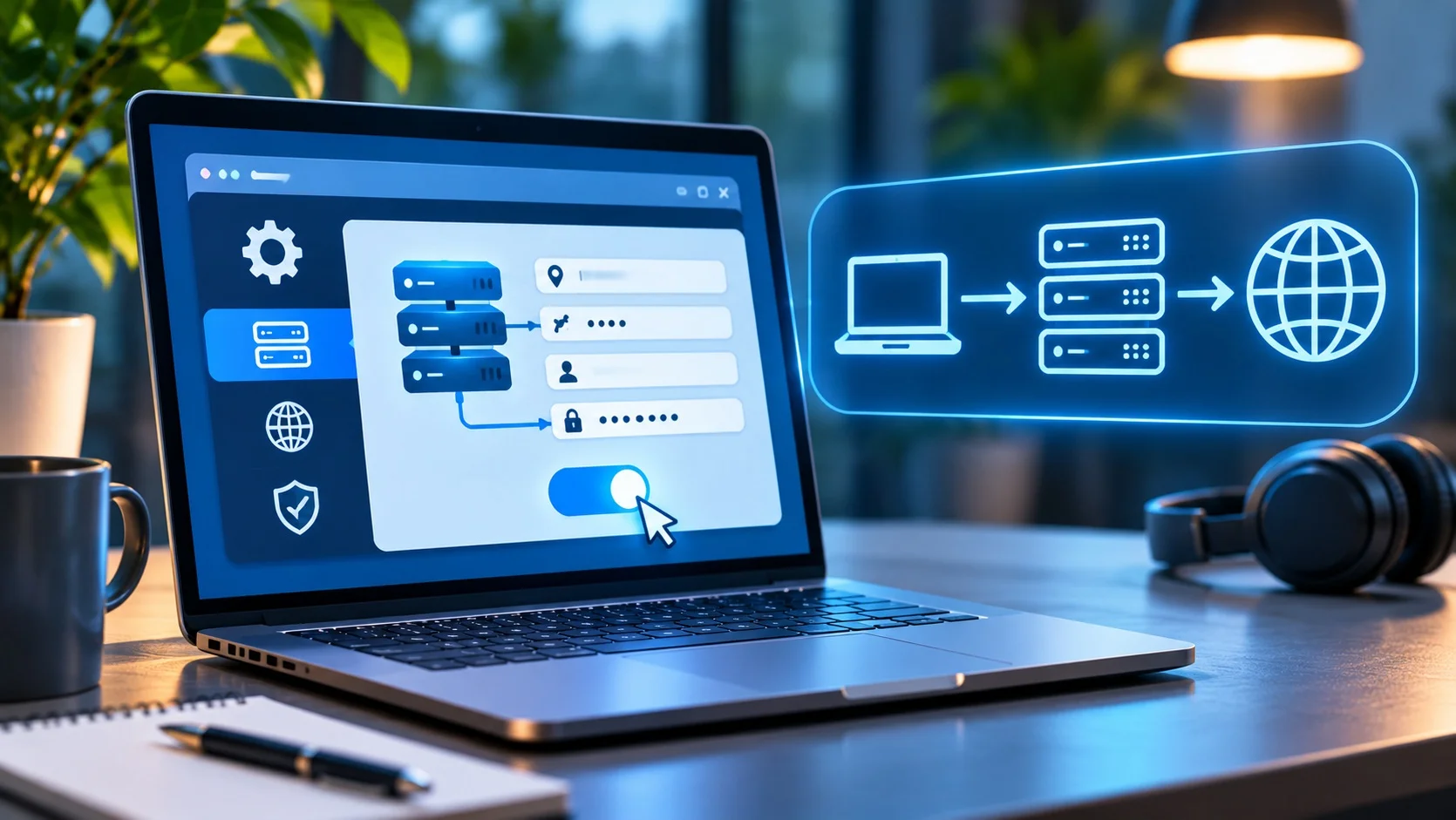
Proxy configuration depends on the operating system, browser, supported protocol and authentication method. In most cases, users do not need to install server-side software themselves because the connection parameters are supplied by a provider or system administrator.
Before configuration, obtain the proxy server address, port number, protocol type and, if required, username and password. Corporate connections may also use the address of a Proxy Auto-Configuration (PAC) script.
For example, the address 192.0.2.10 and port 8080 can illustrate the format of an HTTP proxy configuration. These are example values, not the address of a real service.
After entering the settings, test access to web resources and make sure the intended application is actually using the proxy.
How to Configure a Proxy in a Browser?
In Google Chrome on Windows and macOS, standard proxy configuration is generally tied to the operating system’s network settings. To change the proxy address, users therefore need to open the operating system’s settings rather than look for a universal configuration form within the browser.
In Chrome, you can open Settings and search for “proxy” to find the option that opens your system’s proxy settings. The next steps depend on the operating system.
Firefox has its own proxy connection settings. To configure them, open Settings, find the connection or proxy settings and go to the network configuration options.
There, you can choose system proxy settings, manual proxy configuration or automatic configuration. For a manual connection, enter the server address and port and select the appropriate proxy type.
Mozilla describes these options in its official guide, Connection Settings in Firefox. The exact location of the options may change between browser versions.
After saving the settings, open a public IP address checking service and compare the result with the address you see without the proxy. A trustworthy service displaying the current connection’s public IP address is sufficient for this test.
Remember that changing the visible IP address in a browser does not prove that all traffic from the computer is passing through the proxy. Other applications may use separate network settings.
How to Configure a Proxy in Windows
In Windows 10 and Windows 11, the main proxy settings are available in the system’s network settings. The names of individual options may vary slightly depending on the system version and interface language.
Open Settings, go to Network & Internet, and select Proxy.
For manual configuration, locate the relevant switch, enable the use of a proxy server and enter its address and port. Save the changes and test the connection in a browser.
If necessary, you can configure exceptions for local addresses or particular resources that should be accessed without an intermediary.
An organisation may provide a PAC script for automatic configuration. In that case, the address of the configuration file is used instead of manually entering a proxy server.
In corporate environments, it is important to remember that different Windows components may use different proxy mechanisms. In particular, WinHTTP settings for system services do not always match browser settings. This is explained in the Microsoft documentation on proxy configuration.
If the proxy requires authentication, a compatible application may prompt for credentials when connecting for the first time. Support for authentication and specific protocols depends on the application.
How to Configure a Proxy on Android and iPhone
On smartphones, the most common way to configure an HTTP proxy manually is through the settings for a specific Wi-Fi network.
On Android, open Wi-Fi settings, select the connected network and go to its advanced options. There is usually a Proxy option where you can choose manual configuration and enter the server address and port.
The exact steps depend on the device manufacturer and Android version. On some phones, the network settings are available by editing a saved Wi-Fi network.
On an iPhone, go to Settings – Wi-Fi, tap the information button next to the relevant network and find Configure Proxy. You can then choose manual configuration or automatic configuration if supported.
Apple confirms these options in its documentation on managing Wi-Fi settings on iPhone.
Keep in mind that these settings usually apply only to the selected Wi-Fi network. They do not guarantee that mobile data or all application connections will be routed through the proxy.
For SOCKS5, proxies with special authentication mechanisms or more complex network setups, specialised applications supporting the relevant protocol may be required.
After configuring a proxy on any device, check access to websites, the visible IP address and the behaviour of the applications you need. If the connection fails, first verify the address, port, protocol and authentication credentials.
How to Choose a Proxy Server?
Choosing a proxy should start with identifying the task rather than comparing prices. Browsing, automated testing, data collection and corporate access control may require different configurations.
First, determine the required protocol. For ordinary web requests, an HTTP proxy supporting CONNECT may be sufficient. For applications that need other types of traffic, consider SOCKS5 and check software compatibility.
The next criterion is the origin of the IP address. Data centre proxies may suit managed technical tasks, while residential or mobile addresses are used when testing connections through particular networks is important.
The server’s geographic location also matters. The more complex the network path between the client, proxy and target resource, the higher the latency may be. Physical proximity does not, however, always guarantee the best result: connection quality and server load are important too.
Businesses should pay particular attention to service stability, bandwidth, scalability, technical support and transparent data-handling policies.
Security measures are equally important. A reliable proxy should provide access controls, support the necessary authentication methods and allow unauthorised users to be prevented from using the server.
When evaluating a commercial provider, check whether there are limits on traffic volume, the number of connections, available regions or how often IP addresses can be rotated. Review the service’s acceptable use rules and log retention policy separately.
For corporate infrastructure, deploying a private service on a controlled server can sometimes be more advantageous than relying on a third-party public proxy. This approach provides wider configuration options but requires administration, updates, monitoring and responsibility for security.
For suitable tasks, consider renting a Hostpark VDS server, on which an administrator can independently install and configure proxy software. A VDS provides infrastructure for deploying your own solution; it is not a ready-made proxy server service.
The final decision should be based on compatibility tests, connection stability and data protection requirements. The most expensive proxy is not necessarily the best for a particular use case.
Conclusion
A proxy server is a tool for forwarding network traffic through an intermediary. It can help change the visible IP address, manage access to web resources, enable caching and support server infrastructure.
Proxy capabilities depend on the type. HTTP and SOCKS5 are used for different client connection scenarios; residential and mobile addresses support testing in particular network environments; and reverse proxies handle request routing, load balancing and web service protection.
Proxies and VPNs address different tasks: a proxy intermediates specified connections, while a VPN in a typical configuration creates an encrypted tunnel for traffic routed through it.
For personal use, it is important to choose the right provider and protocol. Corporate deployments must also account for access controls, security, performance and scalability.
To deploy a corporate proxy independently, you can choose an appropriate Hostpark VDS configuration based on expected load, network requirements and security needs. Installation and ongoing administration of the proxy software must be arranged separately.
FAQ
Can You Use a Proxy for Free?
Yes, free public proxies exist, but their stability, security and origin are often unknown. For transmitting credentials and handling corporate tasks, it is better to use solutions with controlled access and transparent service terms.
Does a Proxy Hide My Real IP Address?
An ordinary forward proxy can hide the original IP address from a target website. However, the intermediary itself usually knows the client’s address, and some configurations may forward information about it in HTTP headers.
Can You Use a Proxy and a VPN at the Same Time?
Yes. For example, a VPN can provide secure access to a corporate network while a proxy filters web requests within that network. Routing order and compatibility depend on the configuration of both technologies.
Does a Proxy Make the Internet Faster?
Not necessarily. A caching proxy can speed up access to repeatedly requested resources, but the additional server in the network path may also increase latency. The result depends on location, load and configuration.
Can You Use a Proxy for Online Gaming?
Some games and network applications may work through compatible SOCKS proxies, but this depends on supported protocols and configuration. A standard HTTP proxy is not designed to carry every type of game traffic.
Why Won’t a Website Open Through a Proxy?
Possible causes include an unavailable proxy server, an incorrect port, an authentication error, an incompatible protocol or access restrictions imposed by the website. Check the connection settings and compare the result with a direct connection.
Can a Proxy Server See My Passwords?
An untrustworthy proxy may potentially access data transmitted over an unencrypted connection. With a properly configured end-to-end HTTPS connection, the contents are protected by TLS unless the intermediary performs TLS inspection trusted by the client.