



DRaaS is disaster recovery as a service, in which a company uses pre-prepared backup infrastructure and an agreed recovery scenario following a serious failure. Instead of creating a second site independently, a business can engage a provider and build a solution based on colocation, cloud resources or a combination of the two. We explain how DRaaS works, how it differs from backup, what RTO and RPO mean, and which factors determine the cost of disaster recovery.
What is DRaaS
Disaster recovery as a service, or Disaster Recovery as a Service, is a model in which backup infrastructure is prepared in advance for critical IT systems and the procedure for restoring operations in the event of a serious incident is defined. Depending on the architecture, this may be a separate physical site, resources in a public or private cloud, dedicated servers or a combination of several approaches.
Without DRaaS, a company would have to design a backup site independently, provide it with computing resources, storage, networking and communication channels, configure replication, document the failover procedure and maintain a team capable of carrying out recovery during an incident. In the service model, the provider assumes some of these tasks in accordance with the selected configuration and division of responsibilities.
At the same time, DRaaS should not be regarded as a single standard technology with identical parameters across all providers. The specific composition of the solution, backup resources, replication method, level of automation, target RTO and RPO, and the responsibilities of the parties must be defined in the technical specification and contract.
It is also important that disaster recovery does not automatically solve every data problem. If incorrect changes, database corruption or the effects of an attack enter the replication process, they may also be transferred to the backup side. Therefore, disaster recovery does not eliminate the need for independent backups.
Alongside DRaaS, there is BaaS – backup as a service. The names are similar, but the tasks are different: backup primarily creates points from which data can be restored, whereas disaster recovery defines how critical services will be restored after the primary environment fails.
How DRaaS differs from backup
Backup and disaster recovery address related but different tasks. A backup allows files, a database, a virtual machine or another object to be restored to an available recovery point. Disaster recovery covers a broader scenario: where systems will operate after a failure, in what order they will start, how network connections, access and integrations will be restored, and how users will reach the backup environment.
This is why having a backup does not in itself mean being prepared for a site-wide failure. If the primary servers or data centre are unavailable, resources are required on which copies can be deployed, along with networking, addressing, access and dependencies between systems. In a DR scenario, these issues are worked through in advance.
Criterion | Backup | DRaaS |
|---|---|---|
Main task | Create recovery points for data or systems | Prepare the recovery of critical services after a failure |
Protection object | Files, databases, applications, virtual machines and other data | Systems together with the required resources, network and failover procedure |
Recovery time | Depends on the amount of data, platform and resources available for recovery | Designed according to the target RTO of the specific system |
Backup resources | Backup storage is required to store copies | Resources required for protected systems to operate after failover are provided |
Protection against logical errors or deletion | Possible if a suitable recovery point is available | Does not itself replace independent recovery points |
Therefore, one solution does not replace the other. Backup is required to return to a previous state after accidental deletion, data corruption, an incorrect change or other incidents. We wrote in more detail about the principles of backup in the article “What is a backup”.
In practice, backup and disaster recovery are often used together. A disaster recovery scenario is defined for critical services, while backups are created independently to preserve the ability to return data to a previous correct point. For less critical systems, backup with a longer acceptable recovery time may be sufficient.
RTO and RPO
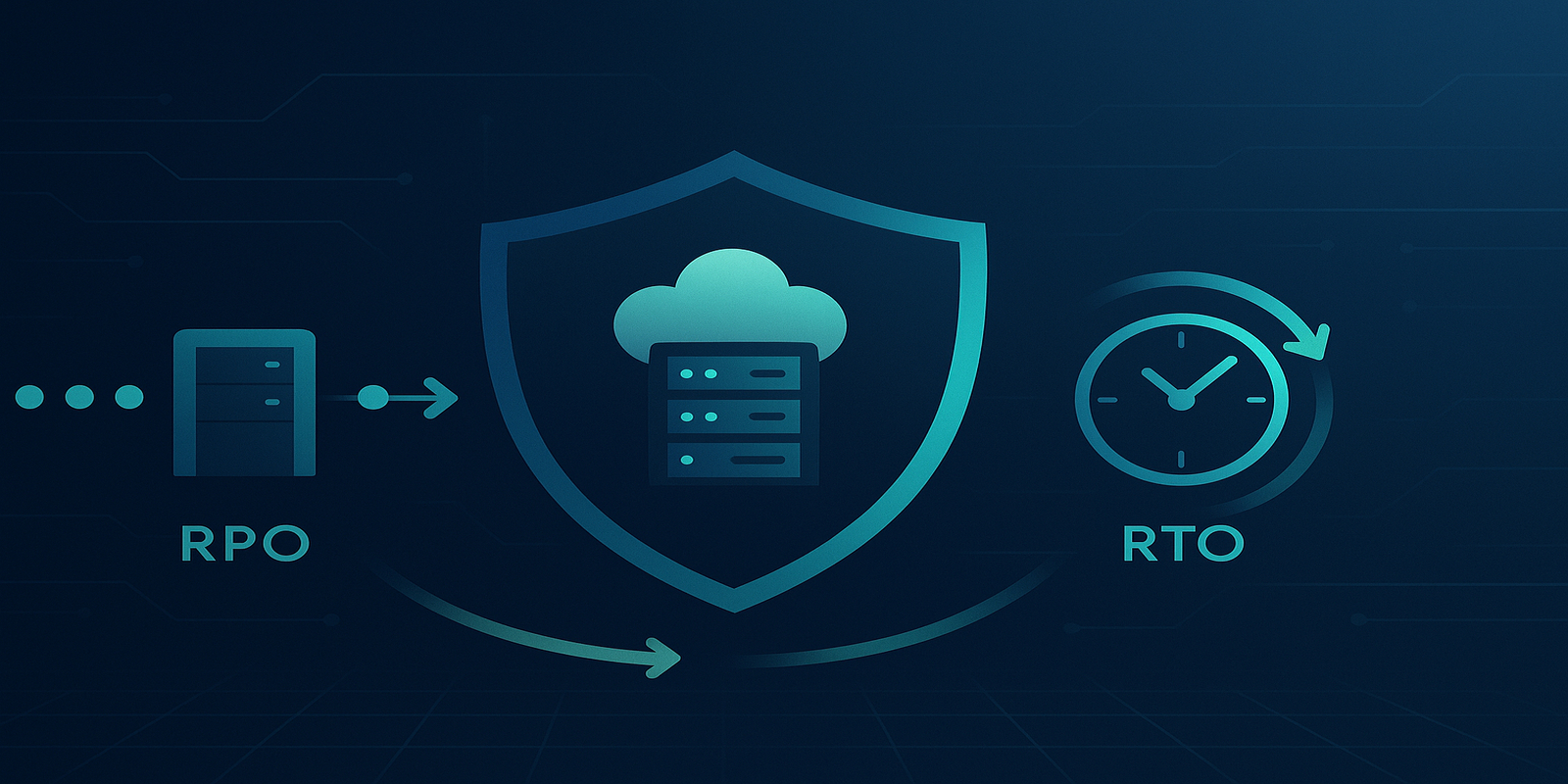
RTO and RPO are the two main metrics through which a business defines its disaster recovery requirements.
RTO, Recovery Time Objective, is the maximum acceptable period during which a system may remain unavailable after an incident. For example, an RTO of four hours means that the recovery scenario must be designed so that the service returns to a defined operational state within that period.
RPO, Recovery Point Objective, is the maximum acceptable amount of data loss expressed in terms of time. An RPO of fifteen minutes means that the business accepts the loss of changes made during the final fifteen minutes before the incident. Whether such a target can actually be achieved depends on the replication or backup technology and the specific architecture.
There are no universally correct RTO and RPO values for an online shop, ERP, corporate email or any other system. The same platform may be critical for one company and secondary for another. Therefore, these metrics are determined through the business impact of downtime and data loss.
To avoid applying the same requirements to the entire infrastructure, it is advisable to classify systems in advance by criticality:
- Critical – their unavailability immediately affects core operations, revenue, payments or customer service.
- Important – some downtime is acceptable, but after a certain period it significantly affects departments or business processes.
- Secondary – they can remain unavailable for longer without critical consequences for core activities.
Separate RTO and RPO values are set for each group and, where necessary, each workload. Dependencies between systems must also be taken into account. If an application, database and a service integrated with them are restored to incompatible points in time, technically running components may not form an operational system.
Therefore, defining RTO and RPO solely by the IT department is insufficient. Business units assess the acceptable consequences of downtime and data loss, while the technical team determines an architecture capable of meeting these requirements within an acceptable budget.
How much downtime costs
Without assessing the consequences of downtime, it is difficult to determine an RTO on a sound basis. The wording “we need to recover as quickly as possible” does not give the technical team a boundary that would justify increasing backup resources, channel bandwidth or the level of automation.
A starting point can be the direct financial consequences: lost sales or operations, employee downtime, the costs of unplanned recovery, and the work of engineers and external contractors. For companies with contractual obligations, possible penalties, compensation and breaches of their own SLAs to customers must also be taken into account.
Not every hour of downtime has the same cost. For e-commerce, a failure during peak load may have a significantly greater impact than during a period of minimal activity. In manufacturing or B2B services, the consequences may accumulate gradually and become apparent only after the system has been restored.
Estimating the cost of downtime helps compare different levels of protection. However, simply comparing the cost of one hour of unavailability with the monthly price of DRaaS is not sufficient. The potential duration of the incident, its probability, the scale of the business consequences, the total cost of the backup architecture and the risks it actually covers must all be considered.
External statistics about the “average cost of an hour of downtime” are also no substitute for a company’s own calculation. The impact of a failure depends on the business model, season, the dependence of operations on a specific system and the company’s contractual obligations.
How DRaaS works
The specific mechanics of DRaaS depend on the chosen architecture. For virtualised and cloud scenarios, a typical process may include transferring changes to the backup site, monitoring replication status, declaring a disaster, failover to backup resources and subsequent failback after the primary environment has been restored. In a colocation-based option, some components and the sequence of actions may differ.
The backup environment can be built on a public or private cloud, dedicated servers, colocation or a combination of several approaches. The required amount of resources is determined by the project: the backup site may replicate the primary infrastructure or contain only the capacity needed to support priority business functions during a failure.
Data replication
Replication is the transfer of data or changes between the primary and backup environments. Depending on the platform, it may operate at the storage, virtual machine, database or application level and may use either a synchronous or asynchronous mechanism.
The replication method directly affects the potential RPO, but the fact of “continuous replication” itself does not guarantee a specific number of minutes of data loss. The technological limitations of the platform, data change rate, storage performance, latency and channel bandwidth, as well as application consistency requirements, are important.
Lag – the delay of the backup copy or replica relative to the primary environment – is monitored separately. If the system generates changes faster than they can be transferred and applied on the backup side, the actual recovery point moves further away from the target RPO.
Replication should also not be equated with backup. If deletion, corruption or encryption of data is replicated to the backup side, an independent backup or another available recovery point may be required to return to a correct state.
Failover and failback
Failover is the transfer of operations to the backup environment. It may be initiated manually following a decision by responsible personnel or automatically according to predefined criteria. The level of automation must be agreed for the specific system, because an erroneous failover can also cause disruption.
Failover often involves more than starting backup servers. Depending on the architecture, traffic routing, load balancing, DNS, VPN, firewall, user access, external integrations and the correct startup order of dependent services must be provided. These components must be included in the recovery plan and testing.
Failback is the return of operations to the primary environment after the cause of the failure has been eliminated. After failover, new data may already be created on the backup side, so before returning it is necessary to determine how it will be synchronised, the sequence of switching and the integrity checks.
Failback should not automatically be considered simpler than failover. For complex systems, it is a separate stage of the disaster recovery plan that must also be documented and tested.
DRaaS implementation options
The current Hostpark commercial page for DRaaS describes several approaches to building a backup environment. The choice depends on the type of existing infrastructure, resource requirements, networking, compatibility and budget.
Colocation
Colocation can be used as the basis for a backup site for companies that want to place their own physical equipment in a data centre. For a DR scenario, such a configuration may additionally include communication channels between the primary and backup infrastructure.
This approach is particularly relevant for systems that are difficult or impractical to move to a standard cloud environment. During design, the equipment, data transmission channels, replication method, network architecture and failover procedure must be defined separately.
Cloud solution
Public or private cloud resources can be used for disaster recovery. This approach makes it possible to prepare backup computing and disk resources without creating a company’s own second physical site.
However, the possibility of moving systems to the cloud must be assessed separately. Legacy platforms, specific equipment, particular network dependencies or licensing restrictions may require architectural adaptation or a different backup option.
Hybrid solution
A hybrid scenario combines different infrastructure components. For example, some systems may run on physical equipment while backup resources for other workload are in the cloud. This approach makes it possible to select different levels of protection for systems with different technical and business requirements.
The specific implementation of DRaaS in any of these options must be defined by the technical project. The service name itself does not establish the RTO, RPO, amount of backup resources or level of automation.
What to check with the provider
DRaaS offerings should not be compared solely by service name or cost. The main parameters must be described in the technical specification, SLA or other contractual documents.
- RTO and RPO. Whether they are targets or guarantees, which specific systems they apply to, how they are measured and which events are excluded from the calculation.
- Backup environment architecture. Where the backup resources are physically or logically located, what level of isolation is used and which jurisdiction applies to the data.
- Replication. Which technology is used, how its status is monitored and what happens if the acceptable lag is exceeded.
- Failover. Who declares the disaster, who initiates failover, which components of the process are automated and which actions remain the customer’s responsibility.
- Backup resources. Whether their performance matches the primary environment or whether operation in a reduced configuration is planned during a disaster.
- Testing. What testing format is provided, how often it is performed, what exactly is tested and whether its cost is included in the service.
- Failback. How the return to the primary site is performed, how data is synchronised and whether this stage requires separate work or payment.
- Compatibility. Whether the current virtualisation platform, operating systems, network components, applications and the customer’s licensing model are supported.
- Division of responsibilities. Which components are the provider’s responsibility and which remain with the internal IT team.
It is also important to assess the infrastructure of the data centre where the backup resources will be located: the power supply scheme, cooling, physical security, carrier connections and channel redundancy. The general principles of such infrastructure are discussed in more detail in the article about how a data centre works.
Hostpark has a separate DRaaS service, for which colocation, cloud or hybrid solutions can be used. The specific architecture, backup resources, target recovery metrics and division of responsibilities must be agreed according to the infrastructure of the particular customer.
Testing the recovery plan
A DR plan cannot be considered tested simply because replication is working without errors. During an actual failover, problems may arise with access, licences, DNS, routing, firewall, external integrations, system startup order or dependencies between systems.
Testing can vary in depth. At a basic level, the team goes through the recovery plan and checks roles, contacts, disaster declaration criteria and the sequence of actions. A deeper test may include starting copies of systems in an isolated environment and checking applications and dependencies. For critical workload, a controlled failover may be performed where necessary in accordance with the agreed scenario.
There is no universal rule such as “test once every six months”. The frequency is determined by the criticality of systems, internal policies, regulatory requirements, the contract and the rate of infrastructure change. After a significant change to the network, applications, storage, virtualisation platform or dependencies, the recovery plan must be reviewed regardless of the calendar schedule.
During testing, it is important to record the actual time required for each stage, the achieved RTO, the available recovery point, problematic dependencies and manual operations. This makes it possible to compare the actual scenario with the planned metrics and adjust the architecture before a disaster occurs.
Testing also covers the organisational aspect. The plan must contain current responsible persons, backup contacts and a clear escalation procedure. The test format must be organised so that the risk to the production environment is controlled and corresponds to the agreed work plan.
Limitations of DRaaS
DRaaS significantly expands recovery capabilities following serious incidents, but it is not universal protection against every failure or loss of data.
- Errors can be replicated. Incorrect changes, corruption or the effects of encryption may reach the backup side if the architecture does not provide separate recovery points.
- RPO depends on technology and the network. Bandwidth, latency, change rate and platform capabilities affect the actual lag of the backup environment.
- A short RTO requires an appropriate architecture. The faster the system must return to operation, the higher the requirements for backup resources, automation and networking may be.
- The backup configuration may differ from the primary one. If fewer resources are provided for DR, the acceptable level of performance after failover must be understood in advance.
- The recovery plan becomes outdated. New services, integrations, IP addresses, access rules and architectural changes must be added to the scenario in a timely manner.
- Organisational procedures remain important. Even a technically ready backup environment requires clear disaster declaration criteria, responsible personnel and an escalation procedure.
This is why DRaaS should be used together with independent backup. A separate BaaS service is also available for businesses specifically for organising backups. Backup and disaster recovery perform different functions and complement one another.
Conclusion
DRaaS is not a type of backup, but a way to prepare infrastructure and procedures in advance for recovering critical systems after a serious disaster. A specific solution may use colocation, a public or private cloud, dedicated resources or a hybrid architecture.
Planning begins with business requirements: it is necessary to determine how long each system may remain unavailable and what amount of recent data loss is acceptable. These requirements are formalised through RTO and RPO, after which the replication technology, backup resources, network and failover and failback procedures are selected accordingly.
Protecting the entire infrastructure in the same way is not always economically justified. Critical systems may receive a shorter RTO and lower RPO, while backup and a longer recovery time may be sufficient for secondary workload.
Disaster readiness is confirmed not by the mere presence of DRaaS in the contract, but by a regularly tested recovery plan in which system dependencies, the roles of the parties, the failover procedure and the actual test results are clear.