



Website performance depends not only on design, CMS, code quality, or server capacity. One of the key factors affecting performance is caching. It allows the server to avoid repeating the same operations over and over, instead quickly delivering already-prepared data from memory. For dynamic websites, online shops, corporate portals, and VPS environments, this has direct implications: lower CPU load, fewer database queries, faster server response times, and more stable operation during peak traffic.
In professional server environments, several layers of caching are commonly used. OPCache accelerates PHP code execution, Memcached stores simple temporary data in RAM, whilst Redis provides broader capabilities for caching, sessions, queues, object cache, and high-load web applications. These tools do not replace website optimisation, but they form the technical foundation for fast operation of CMS platforms, databases, and server-side applications.
What Is Server-Side Caching and Why Is It Needed?

To understand what a cache is, it helps to picture the following scenario: a user opens a page on a website, the server processes PHP code, queries the database, generates HTML, pulls in the necessary files, and delivers the result to the browser. If the next user opens the same page, the server may go through the entire process again. But if caching is enabled, some of the already-prepared data is stored in memory and reused.
In other words, a cache is a temporary data store that the system maintains for faster access. In a server context, cache memory is a portion of RAM or other fast storage where the results of computations, CMS objects, page fragments, sessions, SQL query results, or compiled PHP code may be kept. This means the server spends less time regenerating identical responses.
Server-side caching is not only relevant for large high-load projects. Even an ordinary website built on WordPress, OpenCart, or Laravel may perform poorly without caching if it has many plugins, a complex theme, a product catalogue, filters, a user account area, or frequent database queries. Caching helps reduce the number of repeated operations and makes the website more stable.
How Does Server-Side Caching Work?
The mechanics of caching are straightforward: the server processes a request once, stores the result, and reuses it until the cache becomes stale or is cleared. If a user opens a blog page, the CMS may generate HTML based on a template, content, images, navigation menus, comments, and settings. Without caching, this process repeats every time. With caching, the server can retrieve the already-prepared result or part of the data from memory.
For example, in WordPress, when a page is opened, the system queries the database to retrieve posts, theme settings, menus, widgets, plugin data, and then assembles the response. If object cache is enabled via Redis, some of these objects may be stored in memory. If OPCache is active, PHP does not compile the same scripts on every request. If page caching is also in use, the ready HTML version of the page can be served even faster.
In professional environments, caching is rarely limited to a single tool. It is common for browser cache, CMS cache, web server cache, OPCache, and object cache to operate simultaneously. However, each layer has its own role. The browser stores static files on the user’s side, the CMS may cache pages, Redis or Memcached work with data in RAM, and OPCache optimises PHP code execution.
Why Does a Website Run More Slowly Without Caching?
Without caching, the server is forced to perform the same operations repeatedly. For a dynamic website, this means launching PHP, processing CMS logic, loading plugins, running MySQL or MariaDB queries, building HTML, and delivering the result to the user. If the website receives little traffic, the issue may not be very noticeable. But as traffic grows, the load increases rapidly.
Every additional database query consumes resources. Every execution of resource-intensive PHP code uses CPU. Every process serving users simultaneously occupies RAM. Without caching, the server may spend a significant share of its resources regenerating the same data. The result is longer response times, a sluggish admin panel, slower filters, and difficulties with product imports and background tasks.
On a VPS, this is particularly important because resources are allocated but not unlimited. If a website consumes too much CPU and RAM due to a lack of caching, the project owner may be forced to upgrade to a more expensive plan prematurely – even though part of the problem could have been resolved by configuring caching properly. It is therefore worth evaluating not only the volume of resources, but also how efficiently they are being used, before scaling the infrastructure.
What Problems Does Server-Side Caching Solve?
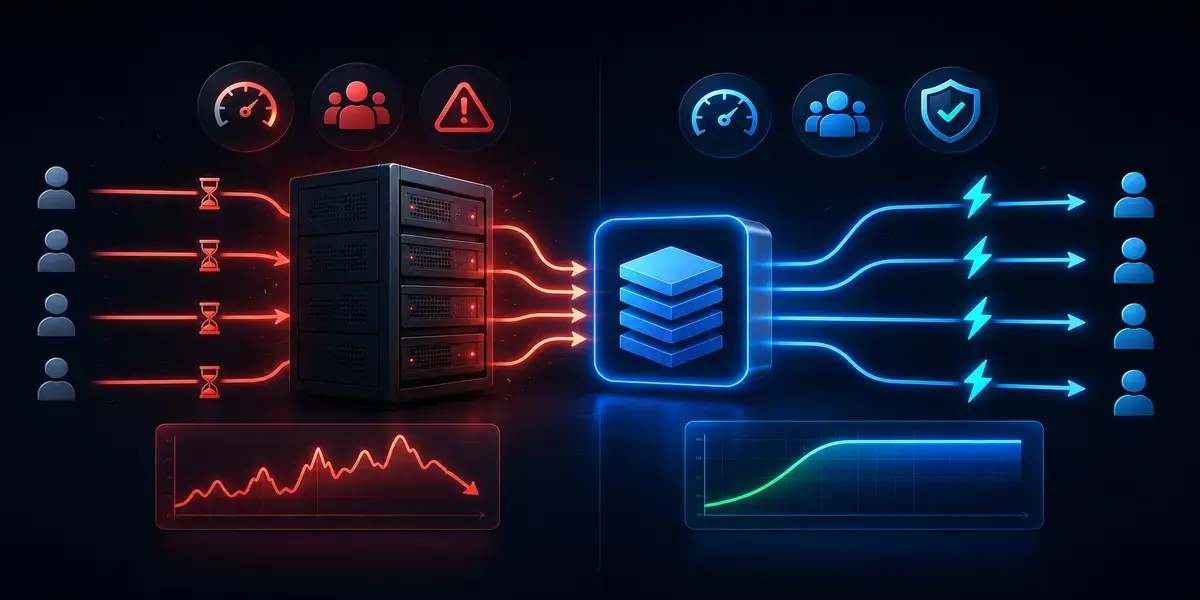
Server-side caching will not turn a poorly optimised website into a perfect one, but it does help reduce load in areas where the server is performing many repetitive operations. This is especially relevant for CMS platforms, online shops, sites with filters and user account areas, large databases, and regular traffic spikes.
- Slow page loading – caching enables faster delivery of ready or partially prepared data.
- High CPU load – OPCache reduces the need to recompile PHP code on every request.
- Excessive MySQL queries – Redis or Memcached can store the results of some operations in RAM.
- Slow CMS admin panel – object cache helps retrieve repeated system objects more quickly.
- Instability during traffic spikes – caching reduces the number of heavy operations during periods of simultaneous user activity.
- Delays in dynamic projects – the server handles typical requests faster when part of the data is already prepared.
Caching delivers the best results when configured to suit the specific project. A blog may need one set of tools, WooCommerce requires a more careful configuration, and a high-load service additionally calls for monitoring hit rate, RAM usage, queues, database response times, and system behaviour under peak load.
What Types of Caching Exist?

Caching can operate at different levels. Some caching occurs in the user’s browser, some within the CMS, some at the web server or PHP level, and some in dedicated services such as Redis or Memcached. It is therefore important not to conflate all these mechanisms into a single concept. They share a common goal – faster data access – but work in different ways.
Browser caching helps pages load faster on repeat visits. CMS caching reduces the number of operations within the content management system. Server-side caching operates closer to the infrastructure and can be more effective for dynamic data. OPCache does not cache pages or SQL queries, but it accelerates PHP code execution. Redis and Memcached do not replace OPCache – they address a different class of problems.
Browser Caching
Browser caching works on the user’s side. When a person visits a website, the browser may store some static files locally: CSS, JavaScript, images, fonts, and icons. On subsequent visits, the browser does not need to download all of these files from the server again, provided they have not changed.
This approach works well for repeat visits and reduces the number of requests to the server. However, browser caching does not solve the problem of slow page generation on the server. If PHP code runs slowly or the database responds with a delay, locally caching CSS and images will only help to a limited extent.
CMS-Level Caching
CMS caching is often implemented via plugins or built-in modules. In WordPress, this may include page cache plugins, HTML optimisation plugins, object caching, or Redis integrations. OpenCart, Magento, Drupal, and other CMS platforms also have their own approaches to storing ready-made data.
The core idea behind CMS caching is to avoid generating a page from scratch on every visit. If a page does not change every second, the CMS can store its prepared version or some of its objects. This significantly accelerates blogs, informational sites, catalogues, and corporate resources. However, for the shopping basket, user account, checkout process, and personalised content, caching must be configured with care.
Server-Side Caching
Server-side caching operates at the infrastructure level and is often more effective than basic caching within a CMS. Redis or Memcached can store data in RAM, enabling the server to retrieve repeated information more quickly without unnecessary database queries. This is especially useful for sites with a large number of concurrent users.
Server-side cache can be used for CMS objects, sessions, SQL query results, temporary data, application fragments, or service structures. Its advantage lies in the fact that RAM is considerably faster than disk storage, and a properly configured cache reduces load on both the database and the processor.
PHP Code and Database Caching
PHP code caching and data caching are two distinct processes. OPCache stores compiled PHP bytecode in shared memory so that PHP does not need to parse and compile the same files on every request. This accelerates PHP applications and reduces CPU load.
Redis or Memcached work differently. They store data that an application can reuse: query results, objects, sessions, and temporary values. For this reason, OPCache is frequently used alongside Redis or Memcached. One tool accelerates PHP; the other accelerates data access.
OPCache – PHP Code Caching

OPCache is a built-in PHP mechanism for bytecode caching. When PHP executes a script, it first reads the file, parses the code, and compiles it into an internal representation that the PHP engine can execute. Without OPCache, this process repeats on every request. With OPCache, the compiled bytecode is stored in memory and reused.
For PHP-based websites, this is one of the fundamental performance tools. WordPress, Laravel, Symfony, Magento, OpenCart, Drupal, and other PHP projects can benefit from OPCache because nearly every request to these systems executes PHP code. Even if a website has a page cache, the admin panel, cron jobs, API endpoints, and dynamic sections still run PHP.
How Does OPCache Work?
When a user opens a page on a PHP website, the server passes the request to the PHP interpreter. PHP reads the required files, checks the syntax, compiles the code, and executes it. OPCache stores the result of the compilation step in shared memory. On the next request, PHP can use the already-prepared bytecode rather than starting the process from scratch.
This reduces CPU load and shortens script execution time. For a small website, the difference may be modest, but for a CMS with a large number of files, plugins, and frameworks, the effect becomes more noticeable. This is particularly significant on a VPS, where the web server, PHP-FPM, database, cache, mail processes, and background tasks are all running simultaneously.
Which Websites Benefit Most from OPCache?
OPCache is useful for virtually any PHP project. Its advantages are most apparent on sites with a large number of PHP files, a complex CMS, active plugins, frameworks, or frequent requests to dynamic pages. WordPress, WooCommerce, Laravel, Magento, OpenCart, and Symfony projects should generally be run with OPCache enabled.
For a blog, OPCache helps reduce baseline load. For an online shop, it accelerates the admin panel, shopping basket, checkout, and background processes. For Laravel or Symfony projects, it reduces the overhead of loading and executing large numbers of classes, configurations, and service files.
Advantages and Limitations of OPCache
The main advantages of OPCache are its simplicity, stability, and universal applicability to PHP. It requires no complex application-level logic and can often be enabled on the server through PHP configuration alone. The result is faster code execution and reduced CPU load.
However, OPCache has clear boundaries. It does not cache HTML pages, does not store SQL query results, and does not replace Redis, Memcached, or a CMS page cache. If a website is slow due to a heavy database, inefficient queries, or the absence of object caching, OPCache alone will not resolve the problem entirely. It should be regarded as a mandatory baseline, not as a complete optimisation system.
When Should OPCache Be Enabled on a VPS or Hosting?
OPCache should ideally be used on virtually all PHP servers, unless there are specific reasons to disable it. On shared hosting, it is often already configured by the provider. On a VPS or dedicated server, the administrator can manage parameters such as memory size, the number of cached files, change detection in scripts, and cache behaviour following a deployment.
For projects requiring greater control over PHP, Redis, Memcached, the database, and web server configuration, a suitable solution may be an SSD VDS in Poland. At this level of hosting, caching can be configured more flexibly, resources can be controlled, and the server can be adapted to a specific CMS or web application.
Memcached – Fast In-Memory Data Caching

Memcached is a system for caching data in RAM. It works as a simple key-value store: an application writes data under a given key, and then retrieves it quickly from RAM. This reduces the number of queries to the database, APIs, or other slower sources.
The main advantage of Memcached is its simplicity. It is well suited to temporary data that does not need to be stored permanently. If the cache disappears after a service restart or memory flush, the application simply regenerates that data. This is precisely why Memcached is frequently used for query results, sessions, objects, and page fragments.
How Does Memcached Work?
The application first checks whether the required value is present in Memcached. If it is, the system retrieves it from RAM without querying the database. If the value is absent, the application performs the usual database query, receives the result, and stores it in Memcached for a defined period of time. On the next similar request, the response is returned more quickly.
This approach is particularly useful for repeated data: popular products, settings, filter results, profiles, service objects, or fragments used frequently across different pages. Memcached does not make the database redundant, but it reduces the number of queries directed to it.
What Tasks Is Memcached Suited To?
Memcached is well suited to simple and fast caching. It can be used for sessions, SQL query results, CMS objects, some dynamic data, popular pages, or API responses. It is useful wherever temporary information needs to be stored and retrieved quickly without complex logic.
For sites with large numbers of visitors, Memcached helps reduce the load on MySQL. For instance, if thousands of users frequently open the same pages or use identical filters, caching the results can significantly reduce the number of repeated database queries.
Advantages of Memcached
Memcached is fast, lightweight, and relatively simple in its architecture. It does not attempt to be a universal database or a message broker; it focuses on a single task – quickly storing temporary values in RAM. This makes it easier to introduce in scenarios where a straightforward cache for repeated data is precisely what is needed.
Another advantage is its low resource consumption when configured correctly. Memcached can work effectively for simple projects that do not require complex data structures, queues, persistence, or the additional capabilities offered by Redis. For many standard use cases, it is entirely sufficient.
Limitations of Memcached
The primary limitation of Memcached is the simplicity of its model. It works with basic key-value pairs and does not support the wide range of data structures that Redis offers. If a project requires lists, sets, sorted sets, queues, pub/sub, or more complex data handling scenarios, Memcached may prove insufficient.
It is also important to bear in mind that Memcached is not typically used as a reliable persistent store. Data in the cache may disappear after a restart or eviction from memory. This is perfectly acceptable for a cache, but entirely unsuitable for critical data that must be stored reliably. Memcached should therefore be used strictly as a temporary acceleration layer.
Redis – Modern Server-Side Caching for High-Load Environments

Redis is an in-memory data store frequently used for caching, sessions, queues, pub/sub, counters, object cache, and other tasks. Unlike Memcached, Redis supports a variety of data structures: strings, lists, sets, hashes, sorted sets, streams, and other formats. This makes Redis suitable not only for simple caching but also for more complex server-side scenarios.
For web projects, Redis is particularly useful wherever speed of data access and flexibility matter. It can reduce database load, accelerate CMS performance, provide object cache for WordPress, store user sessions, support background task queues, and help high-load applications operate more stably.
How Does Redis Work?
Redis stores data in RAM, so access is very fast. An application queries Redis by key and receives the required value or data structure in return. If the information is not present, the application can retrieve it from the database, form a response, and write the result to Redis for subsequent requests.
Redis is frequently used in place of Memcached when not only speed but also broader functionality is required – for example, queues, locks, counters, object caching, session storage, or more complex data structures. Many CMS platforms and frameworks have ready-made Redis integrations, making it possible to connect it without a complete rewrite of the application.
How Does Redis Differ from Memcached?
Redis and Memcached are similar in that both operate in RAM and can be used for caching. However, Redis is more versatile. It supports a wider range of data structures, offers greater capabilities for high-load scenarios, can make use of persistence mechanisms, and is better suited to tasks where caching is combined with queues, sessions, or application service logic.
Memcached is best thought of as a simple and fast cache for temporary key-value data. Redis, by contrast, is a more flexible tool that can serve as a cache, a session store, a queue, an event broker, or an auxiliary layer for web applications. For straightforward tasks, Memcached may be sufficient; for complex CMS platforms, WooCommerce, APIs, and high-load projects, Redis is the more common choice.
Advantages of Redis for Websites and Web Applications
Redis helps websites run faster by keeping frequently used data in RAM. For web applications, this means fewer database queries, lower response times, and better stability under load. Redis is particularly effective where there are many small, repeated operations.
An additional advantage is its handling of queues and background tasks. For example, a web application can quickly accept a user request whilst placing a heavy operation – sending an email, processing an import, generating a report – into a queue. In such scenarios, Redis helps offload the main process and makes the system more stable overall.
Redis for WordPress, WooCommerce, and CMS Platforms
In WordPress, Redis is most commonly used as a persistent object cache. This means the CMS can store objects, settings, partial query results, and service data in Redis rather than retrieving them from the database every time. For a simple blog, the benefit may be modest, but for WooCommerce, large catalogues, and sites with many plugins, Redis often delivers a more noticeable speed improvement.
For WooCommerce, Redis is especially valuable because a shop is constantly working with products, prices, stock levels, the shopping basket, sessions, orders, and customer data. However, caching in e-commerce must be configured with care. Personalised data cannot be cached in the same way as static blog pages. The shopping basket, user account area, and checkout must always display up-to-date information.
Redis or Memcached – Which Should You Choose?

The choice between Redis and Memcached depends on the project’s requirements. If simple in-memory caching of temporary values is all that is needed, Memcached may be sufficient. It is fast, lightweight, and well suited to basic scenarios where an application simply stores and retrieves data by key.
Redis is the better choice when a project requires broader capabilities: object cache for a CMS, sessions, queues, complex data structures, high-load scenarios, APIs, or a scalable web application. For a modern WordPress site with WooCommerce, a Laravel project, a CRM, or a service with an active user base, Redis is often the more practical solution.
In many cases, the choice also depends on the hosting environment. On shared hosting, the user may not have full access to server-side services. On a VPS, there is considerably more control: Redis can be installed, Memcached configured, PHP-FPM parameters adjusted, OPCache enabled, and RAM usage monitored. If a project is moving towards a more complex infrastructure, it is worth understanding in advance how to choose a hosting solution that accounts for the CMS, expected load, and technical requirements.
Can Redis, Memcached, and OPCache Be Used Simultaneously?
OPCache is frequently used alongside Redis or Memcached because these tools operate at different levels. OPCache accelerates PHP code execution, whilst Redis or Memcached cache data. They do not duplicate one another’s functionality and, in many PHP projects, complement the overall optimisation strategy well.
Redis and Memcached are not typically used simultaneously for the same task. In theory, both services may coexist within a complex infrastructure, but for most websites this introduces unnecessary complexity. It is better to select one tool for object cache or data caching and configure it properly, rather than creating multiple cache layers without a clear understanding of which one is responsible for what.
The most typical setup for a PHP website looks like this: OPCache is enabled for PHP code, Redis is used for object cache or sessions, CMS cache handles ready-made pages, and browser caching takes care of static files on the user’s side. If the site uses Nginx as a reverse proxy, an additional caching layer may be added. In that case, it is worth having a thorough understanding of the web server’s role – including the differences between Apache and Nginx for a website.
How Does Server-Side Caching Affect Website Speed?
Server-side caching reduces server response time because some operations are not executed from scratch but instead access already-prepared data quickly. This can positively affect TTFB, page load stability, admin panel performance, and the website’s behaviour under load. For the end user, this manifests as faster page loading and fewer delays during interaction with the site.
From an SEO perspective, caching is not a standalone ranking factor in itself. However, speed, stability, and user experience all contribute to the overall quality of a site. If the server responds slowly, pages take a long time to load, and the site becomes unavailable during peak traffic, this is detrimental both to users and to search engines. Caching helps establish the technical foundation for a stable web resource.
It is important to distinguish between server-side caching and a CDN. Redis, Memcached, and OPCache operate close to the application and server. A CDN helps deliver static content more quickly to users in different regions whilst reducing load on the primary server. For global or media-heavy projects, combining both approaches is beneficial – and it is worth understanding separately how a CDN accelerates a website and reduces server load.
When Should Server-Side Caching Be Configured?
Server-side caching should be configured not when the website has already become critically slow, but at the stage when the project begins to generate regular load. If the CMS has many plugins, the database is growing quickly, the admin panel is sluggish, and pages are loading more slowly during periods of user activity, caching should be one of the first things to review.
For mid-sized projects, it is sufficient to start with OPCache, a basic CMS cache, and properly configured browser caching. For online shops, CRM platforms, Laravel projects, and sites with large databases, Redis or Memcached is worth considering. For a VPS, it is also important to monitor RAM usage: caching helps conserve resources, but Redis and Memcached themselves consume a significant amount of RAM.
Cache configuration is particularly important following a site migration, a plan upgrade, a move to a VPS, a CMS update, or the launch of new functionality. If a project is being moved to a different infrastructure, it is worth checking not only the files and database, but also the availability of the necessary PHP extensions, Redis, Memcached, OPCache, and web server parameters. In this context, guidance on how to migrate a website to a different hosting provider without data loss or unnecessary downtime can be very helpful.
Common Mistakes When Using Server-Side Caching

Caching can significantly accelerate a website, but incorrect configuration sometimes creates new problems. The most common mistakes are not related to Redis, Memcached, or OPCache per se, but to a misunderstanding of cache logic: what exactly is being cached, for how long, when it is cleared, and how the currency of data is verified.
Search queries such as “how to clear cache”, “what does clearing the cache mean”, or “what happens if I clear the cache” tend to appear precisely when a user is seeing an old version of a page after an update. Clearing the cache means deleting stored temporary data so that the system regenerates it. Generally, clearing the cache does not break the site, but the first requests may be processed more slowly whilst the cache is repopulated with current data.
Stale Cache After a Site Update
One of the most common issues is stale cache following a change to content, design, a product price, or CMS settings. The user expects to see the new version, but the server or browser serves the old data. In such cases, a cache purge is required – a forced flush of the relevant caching layer.
For a CMS, it is advisable to configure automatic cache clearing after updates to posts, products, navigation menus, templates, or critical settings. For an online shop, this is especially important, as buyers must see current prices, stock availability, and the correct state of their basket. If the cache operates without invalidation rules, it may compromise data accuracy.
Insufficient RAM
Redis and Memcached store data in RAM. If a VPS has limited memory, an oversized cache can create a new problem: the system may start using swap space, processes may terminate due to memory shortage, or the database may receive fewer resources. It is therefore necessary not only to enable caching, but also to limit its memory allocation.
On a VPS, memory must be distributed across the web server, PHP-FPM, the database, Redis or Memcached, system processes, and a reserve for traffic peaks. Allocating too much RAM to the cache can degrade the performance of other components. Allocating too little means the cache will frequently evict data and provide a weaker benefit.
Incorrect Combination of Services
Another common mistake is having too many caching layers without a clear logical structure. For instance, CMS cache, an optimisation plugin, Nginx cache, Redis, a CDN, and aggressive browser caching can all affect the same page simultaneously. If there is no clear flushing order, updating content becomes problematic.
A correct setup should be predictable. The administrator must understand where the page cache is stored, where objects are stored, where OPCache operates, how the CDN is flushed, and which pages must not be cached. This is particularly important for the shopping basket, payment pages, user account areas, forms, and personalised blocks.
Absence of Cache Monitoring
Caching must not only be configured but also monitored. For Redis and Memcached, the key metrics include hit rate, memory usage, number of evicted keys, response time, number of connections, and behaviour under load. For OPCache, it is worth monitoring memory fill level, the number of cached scripts, and the frequency of invalidations.
Without monitoring, it is difficult to determine whether the cache is actually working effectively. Sometimes caching is formally enabled but the hit rate is low, memory fills up quickly, and the website receives almost no benefit. For reliable operation, it is therefore important to combine caching with monitoring of both the site and the server, in order to see not just availability, but real technical metrics.
Which Solution Is Right for Different Types of Project?
There is no universal caching strategy that applies to all websites. A small blog, an online shop, a corporate CRM, and a high-load API each have different data handling scenarios. The choice between OPCache, Redis, and Memcached should therefore depend on the CMS, expected load, the number of dynamic pages, available RAM, and the level of server access.
- For a blog or small informational site, OPCache, browser caching, and a CMS page cache are usually sufficient. Redis may be useful but is not always essential.
- For a corporate website on WordPress or OpenCart, OPCache, page caching, and – where needed – Redis or Memcached for objects and repeated data are advisable.
- For an online shop, WooCommerce, or a large catalogue, Redis as an object cache is worth considering, with the shopping basket, payment, account area, and personalised pages carefully excluded from caching.
- For a high-load service, CRM, API, or Laravel project, Redis is generally more practical than Memcached, as it can function not only as a cache but also as a tool for sessions, queues, and application service logic.
For shared hosting, the available options often depend on the provider and the plan. On a VPS or dedicated server, there is considerably more control: PHP-FPM, OPCache, Redis, Memcached, Nginx, Apache, the database, and system monitoring can all be configured independently. This is why complex or fast-growing projects often move from basic hosting to server-based solutions where the configuration can be adapted to real-world load.
Conclusion
Server-side caching is one of the most important tools for website optimisation. OPCache accelerates PHP code execution, Memcached helps quickly store simple temporary data in RAM, and Redis offers broader capabilities for object cache, sessions, queues, and high-load web applications. Together, these solutions can significantly reduce the load on the CPU, RAM, and database.
For the majority of PHP-based websites, OPCache should be enabled as the baseline optimisation layer. For CMS platforms and shops handling large volumes of dynamic data, Redis or Memcached is worth considering. For WooCommerce, CRM platforms, APIs, and high-load projects, Redis is often the more flexible choice, as it supports more complex scenarios and is better suited to scalable systems.
At the same time, caching requires careful configuration. It is essential to understand which data is being cached, when it is cleared, how much RAM Redis or Memcached is consuming, and how the cache behaves following a site update. Incorrect configuration can lead to stale content, conflicts between caching layers, or memory shortages on a VPS.
The optimal strategy is to combine caching with quality hosting, adequate server resources, monitoring, backups, and regular technical reviews of the site. When this is in place, Redis, Memcached, and OPCache function not as isolated modules but as part of a stable infrastructure – one that helps the website respond to users more quickly, handle load more reliably, and scale without unnecessary technical constraints.